
Charges & billing · Procedure information
Units #
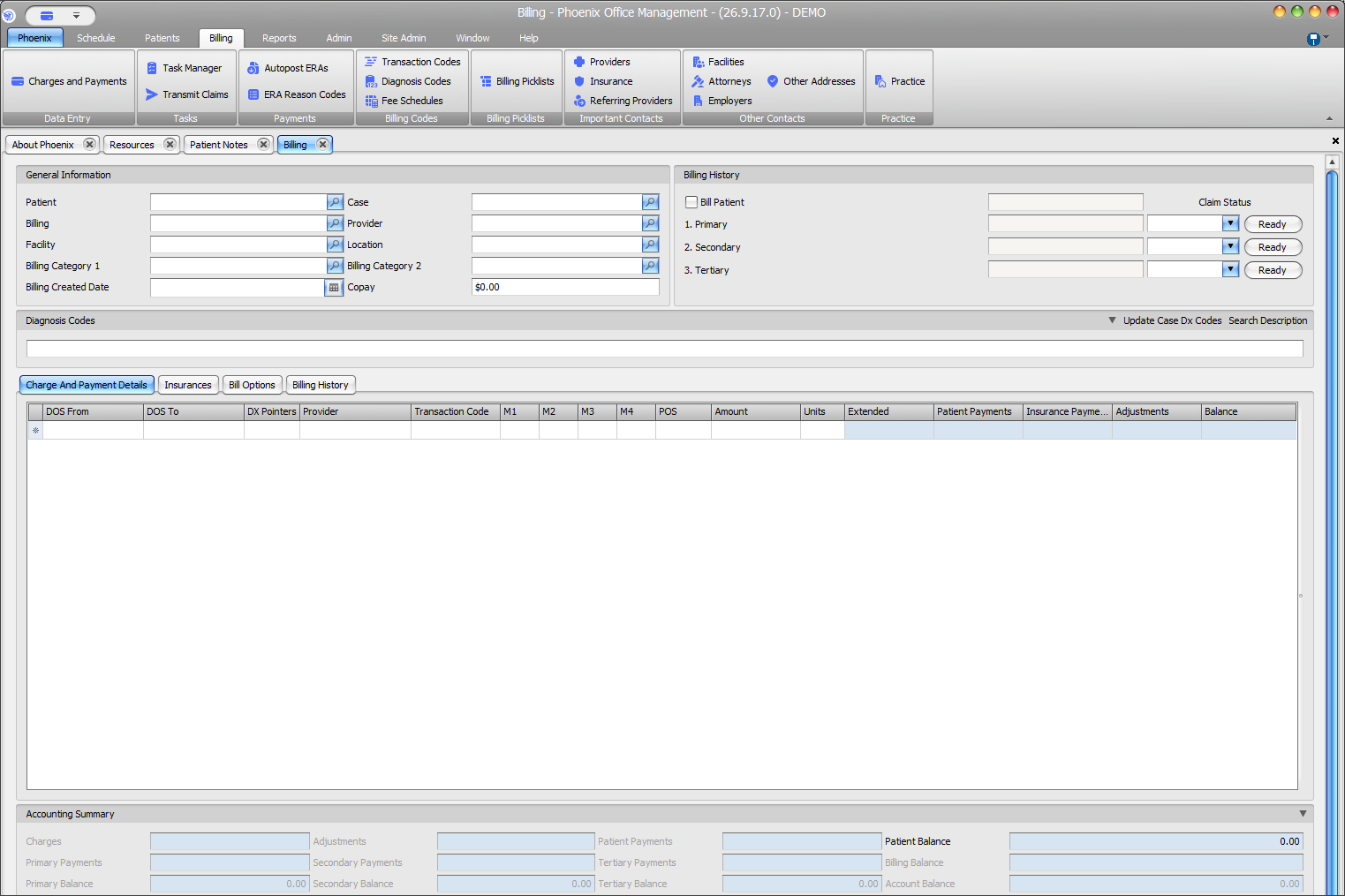
Units appears on each charge row between Amount and Extended. Review it with the other fields from the same row.
Keyboard shortcuts: Press Ctrl+B to open Charges and Payments.
Find Units on a charge row #
- Select Billing > Charges and Payments.
- Locate the applicable patient and case.
- Open Charge And Payment Details.
- Confirm the intended row using dates, provider, and transaction code.
- Review Amount, Units, and Extended together.
Do not confuse Units with NDC Units #
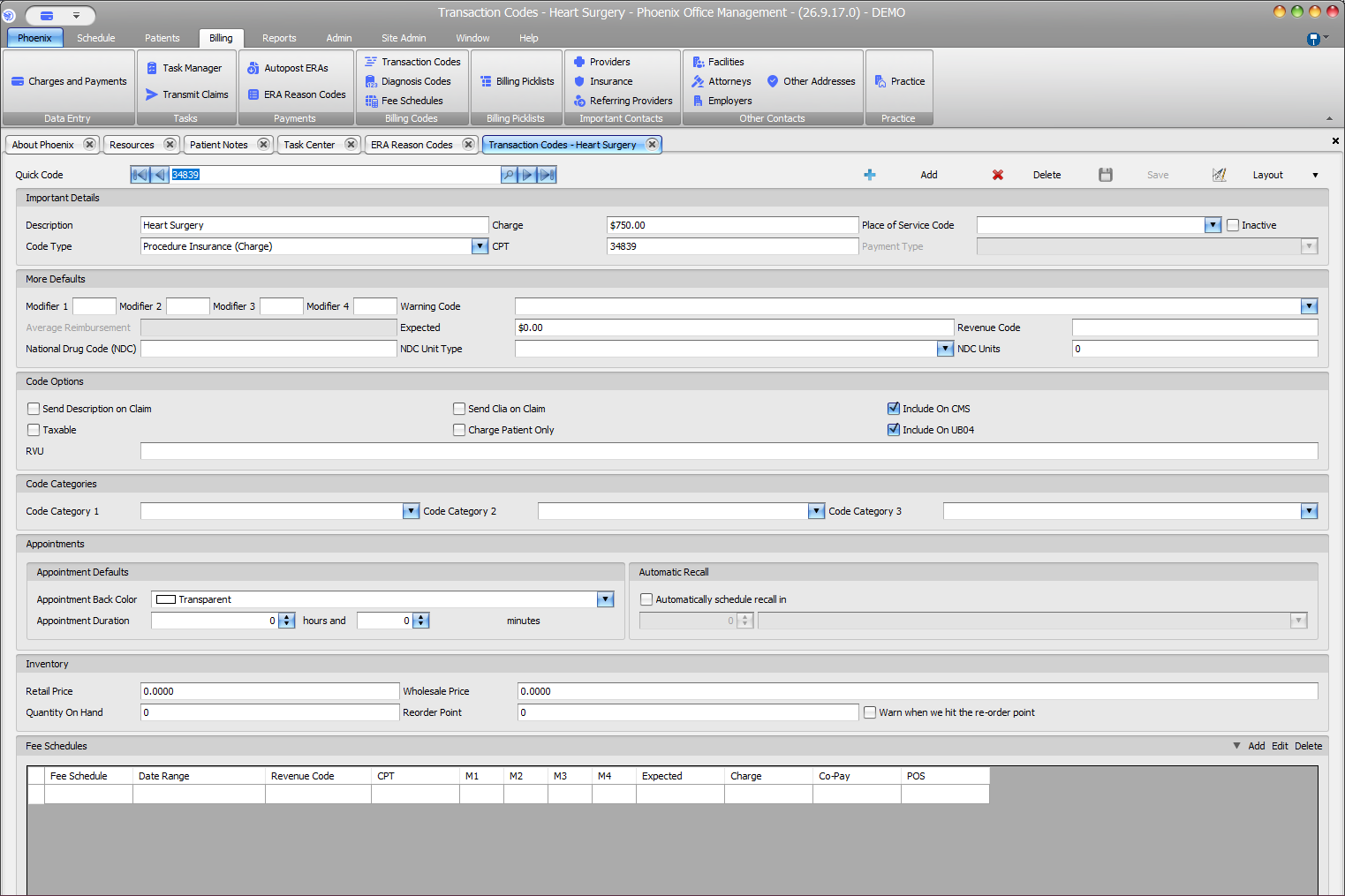
Transaction Codes contains a separate field labeled NDC Units under More Defaults. NDC Units is not the same visible field as Units in the charge grid.
If the result is unexpected
Recheck Transaction Code, Amount, Units, and Extended. Review the Units value on the charge before saving.