
Charges & billing · Procedure information
Modifiers #
Phoenix exposes four modifier positions in Transaction Code setup and in each charge row.
Keyboard shortcuts: Press Ctrl+B to open Charges and Payments. Press F4 to inspect the underlying Transaction Code details when working from a charge.
Transaction Code defaults #
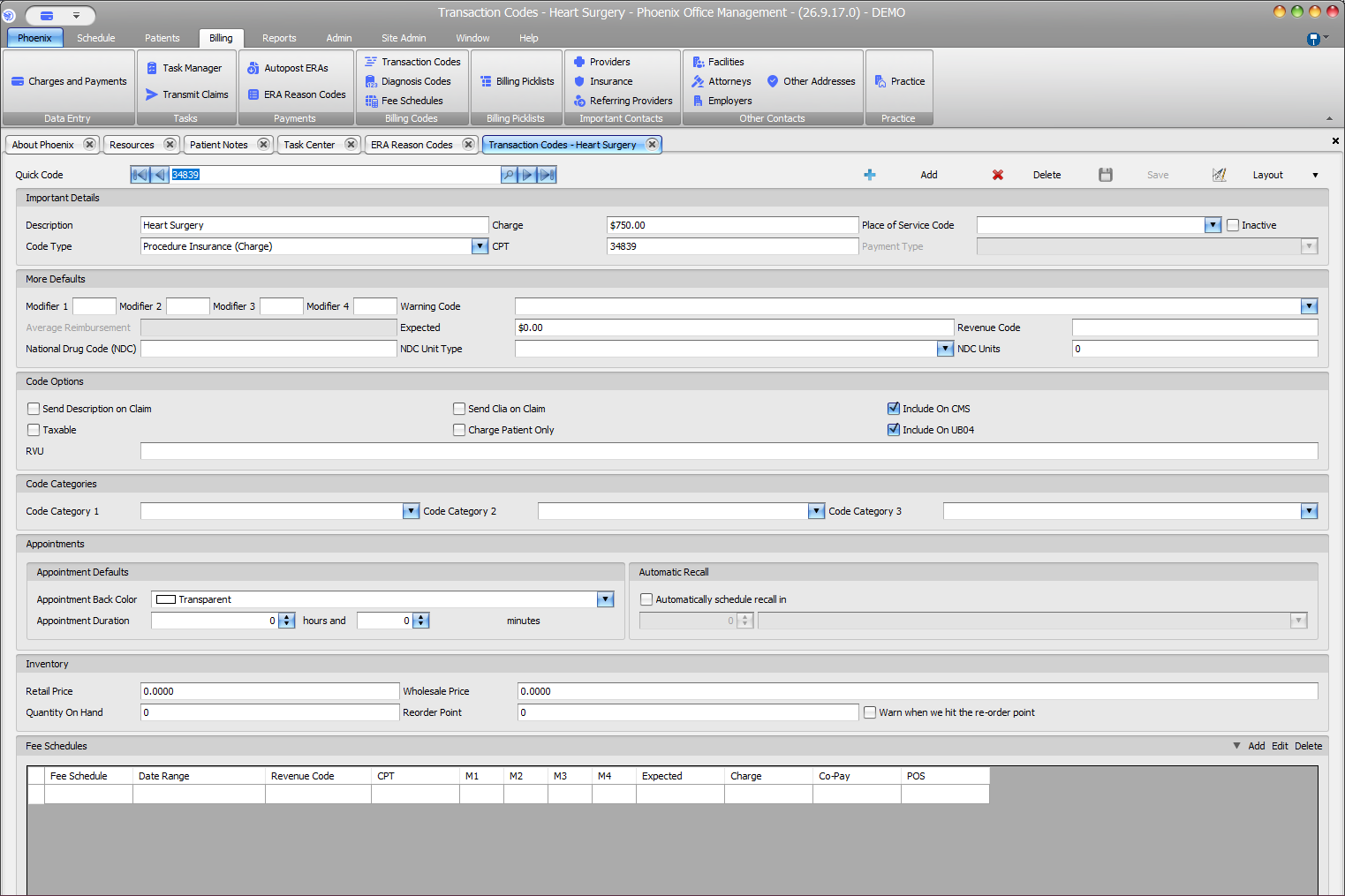
- Open Billing > Transaction Codes.
- Confirm Quick Code, Description, and Code Type.
- Review Modifier 1, Modifier 2, Modifier 3, and Modifier 4 under More Defaults.
After entering or editing a charge, review the modifier fields on the charge before saving.
Charge-row modifiers #
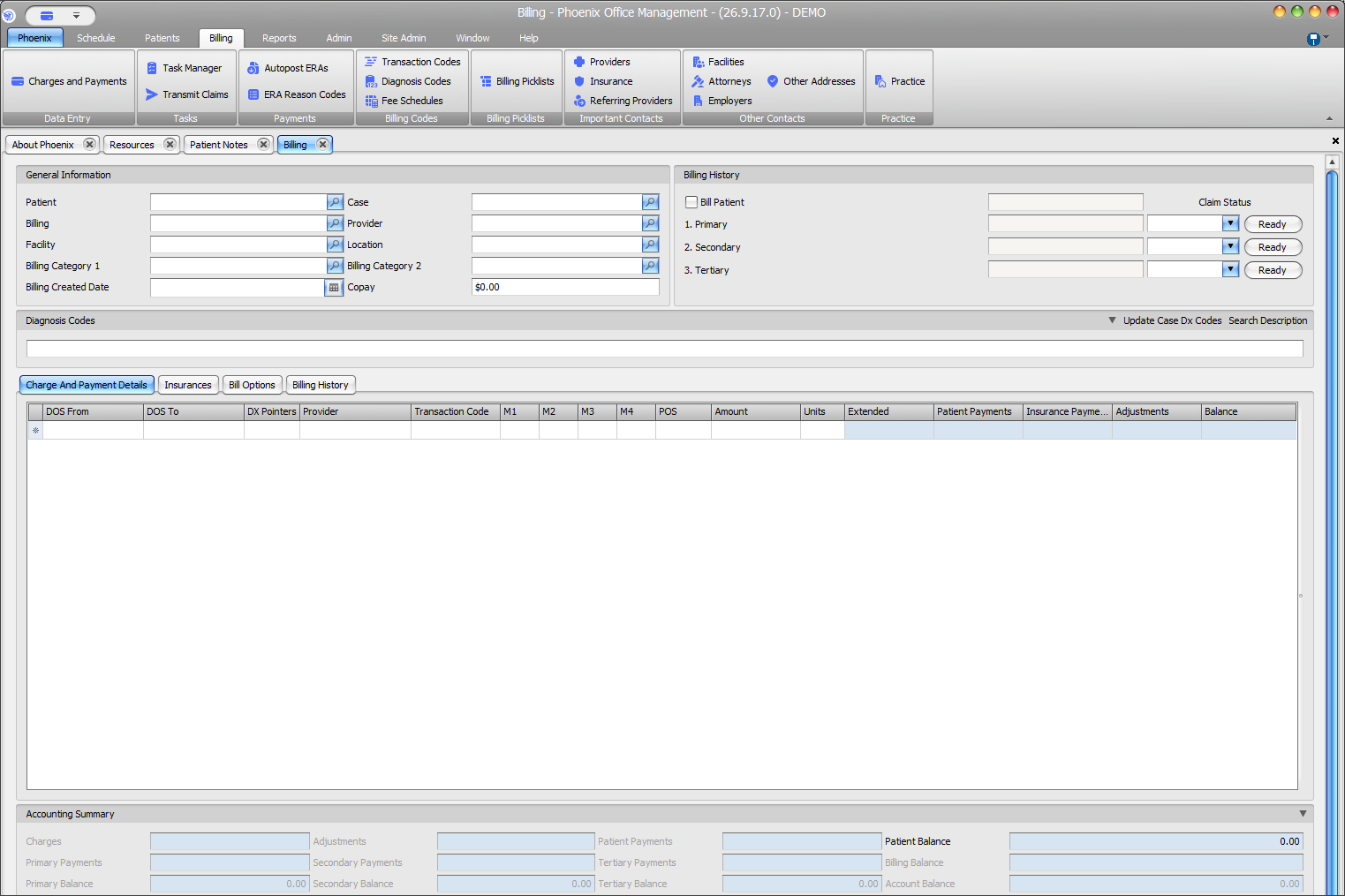
- Open Charges and Payments.
- Locate the intended row.
- Review M1, M2, M3, and M4 beside Transaction Code.
- Confirm the row using DOS From, DOS To, Provider, and Transaction Code.
Coding decision required
Phoenix shows what is stored in each modifier position. Use your organization’s approved coding process to determine whether a modifier is valid, required, or appropriate.