
Charges & billing · Additional information
Place of Service #
Phoenix abbreviates place of service as POS in charge and fee-schedule grids.
Keyboard shortcuts: Press Ctrl+B to open Charges and Payments.
Review POS on the charge #
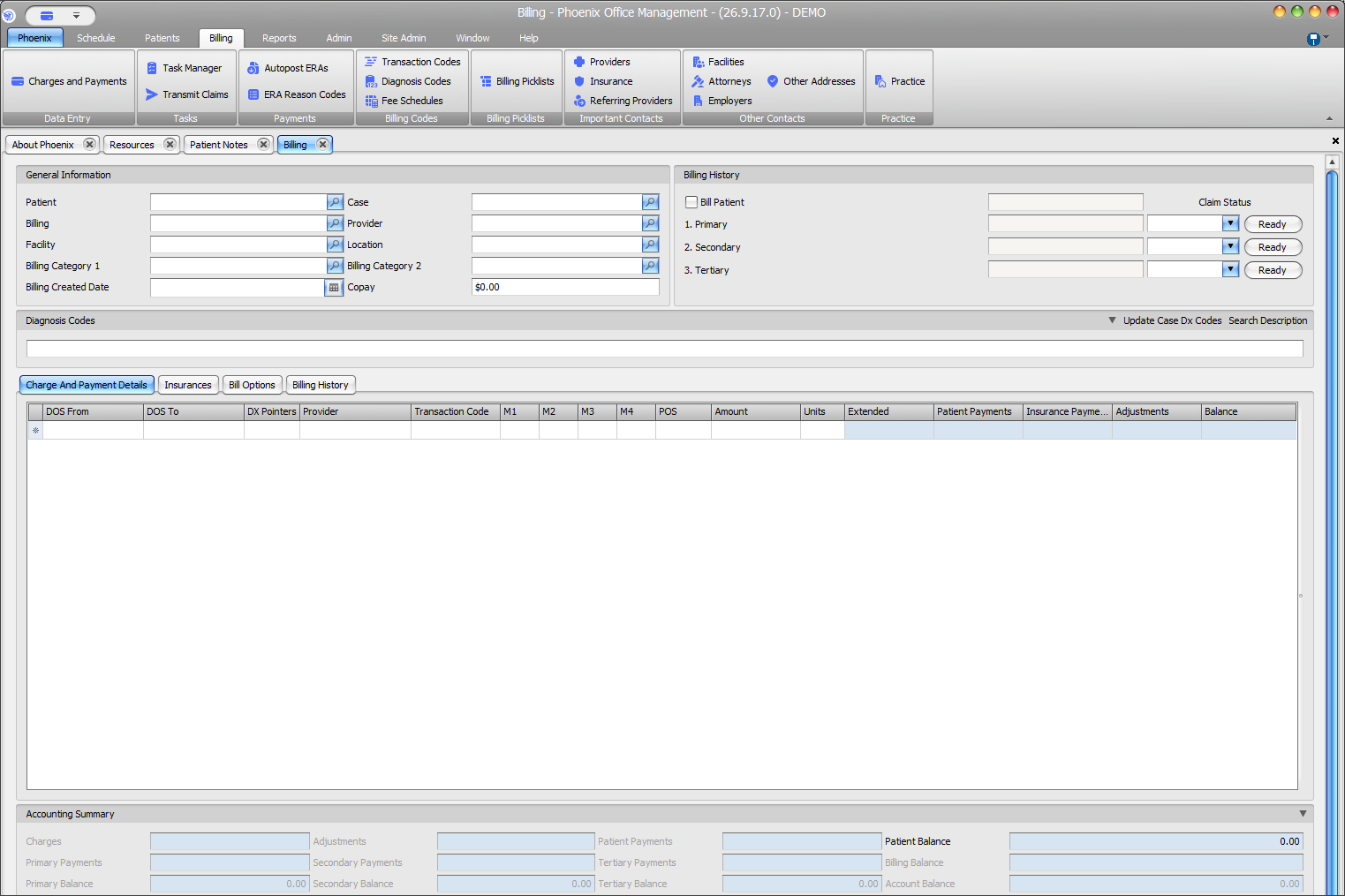
- Open Billing > Charges and Payments.
- Confirm the patient and case.
- Open Charge And Payment Details.
- Locate POS between M4 and Amount.
Also review Facility and Location for billing context. Neither field is itself labeled Place of Service.
Review the Transaction Code #
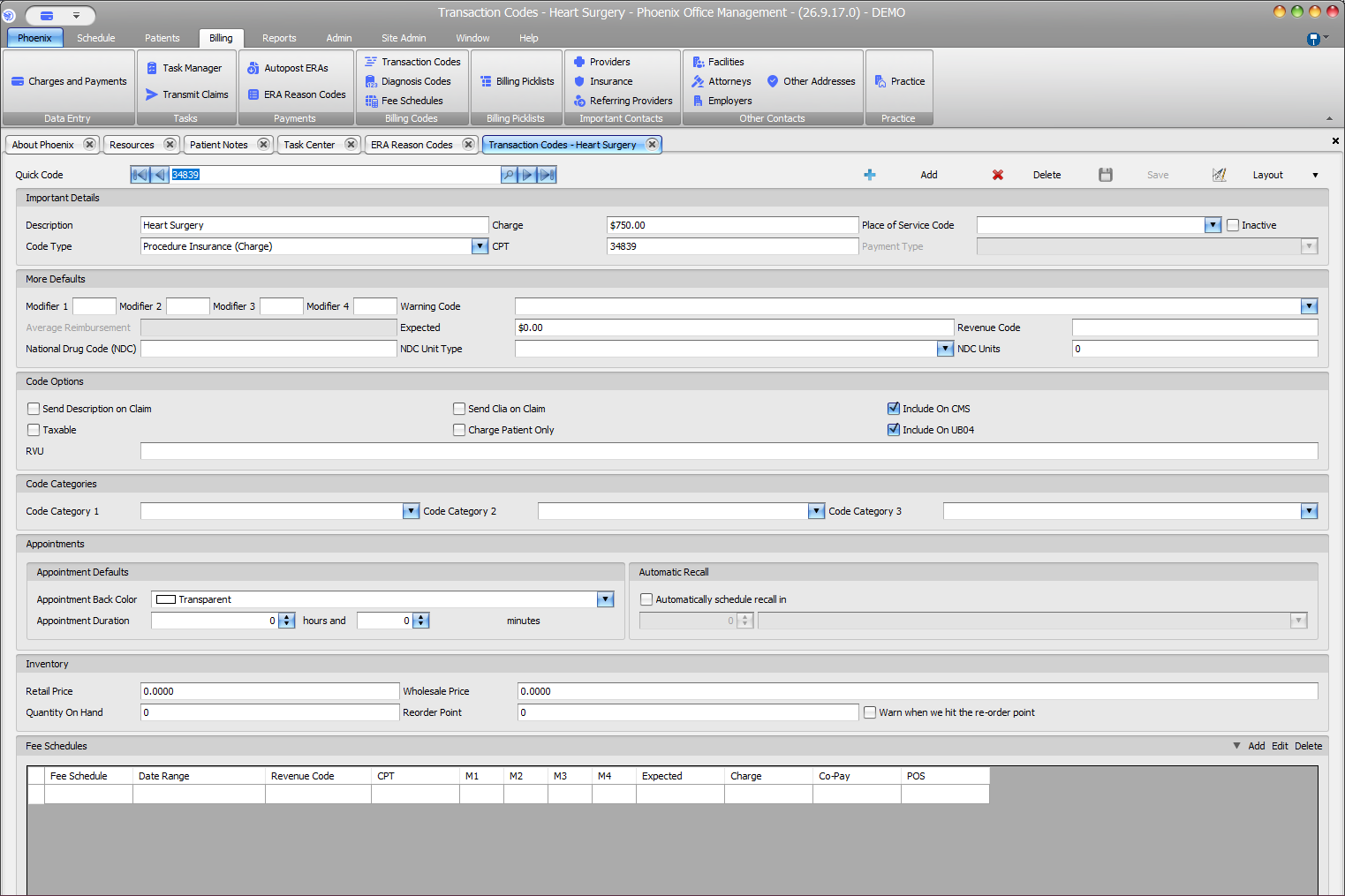
- Open Billing > Transaction Codes.
- Locate and confirm the code.
- Review Place of Service Code.
- Review POS in the Fee Schedules grid when applicable.
- Compare the setup with POS on the actual charge.
Do not infer the code
POS is its own field. Review the POS value on the charge rather than relying on the Facility or Location name.