
Insurance & eligibility · Setup
Payer IDs #
Phoenix shows three payer ID fields in the Electronic Data Interchange section of an Insurance record.
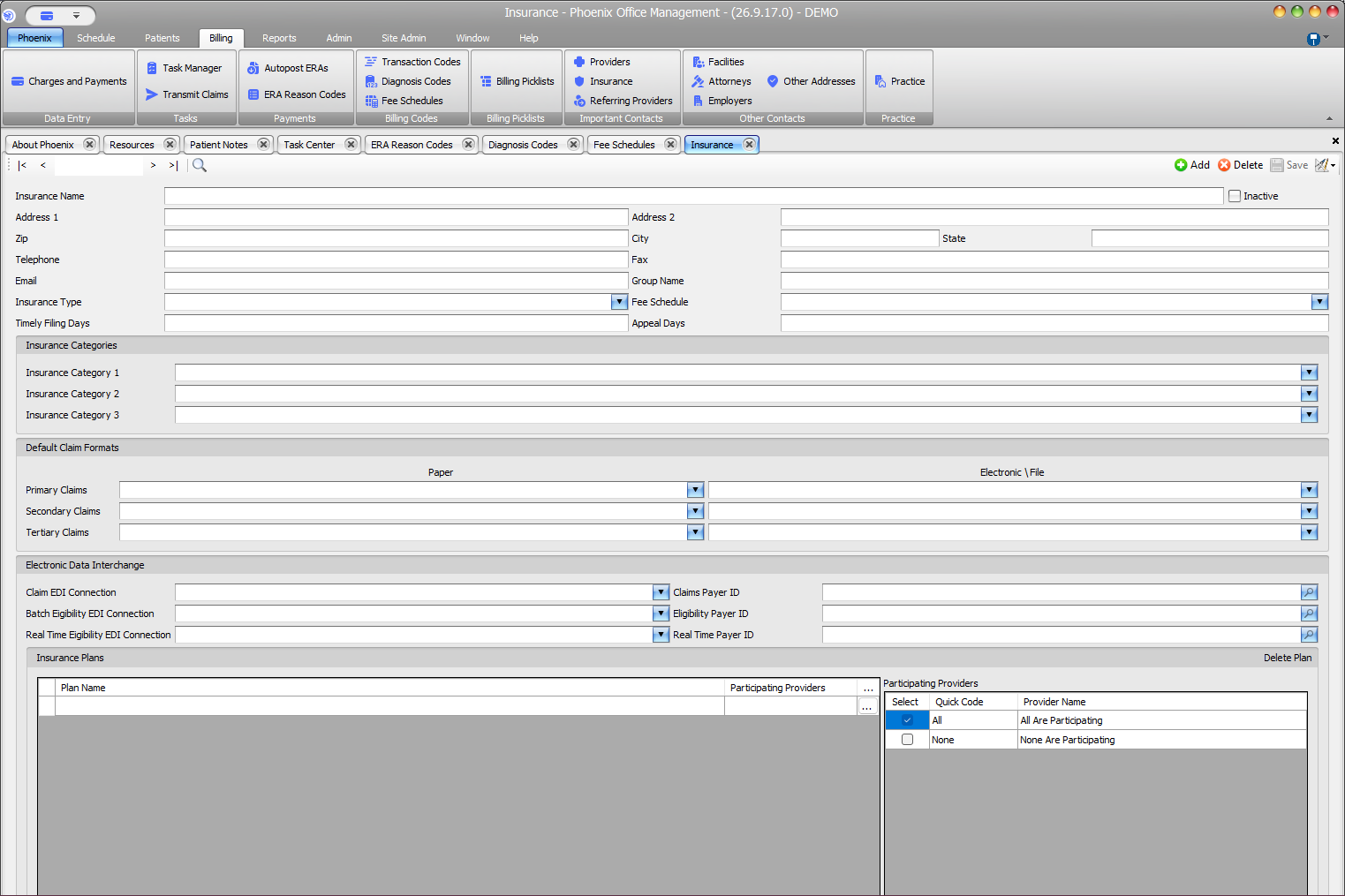
Open the payer fields #
- Select Billing > Insurance.
- Use Search to locate the insurance company.
- Confirm the Insurance Name.
- Review the Electronic Data Interchange section.
Field pairs #
- Claim EDI Connection → Claims Payer ID
- Batch Eligibility EDI Connection → Eligibility Payer ID
- Real Time Eligibility EDI Connection → Real Time Payer ID
Review before saving #
- Verify that the correct insurance company record is open.
- Check the selected connection beside the payer ID being changed.
- Enter the verified payer ID in the matching field.
- Review the other two pairs without assuming they require the same value.
- Select Save or press F2.
Connection setup #
EDI connections are exposed separately under Admin > Interoperability > EDI Connections. This article covers selecting an existing connection and entering the payer ID on the Insurance record.
Keep patient identifiers separate
Do not enter a patient’s policy or member identifier in these company-level payer ID fields.