
Insurance & eligibility · Setup
Adding an Insurance Company #
Create a company record only when the payer is not already available in Phoenix.
Open Insurance #
- Select the Billing tab.
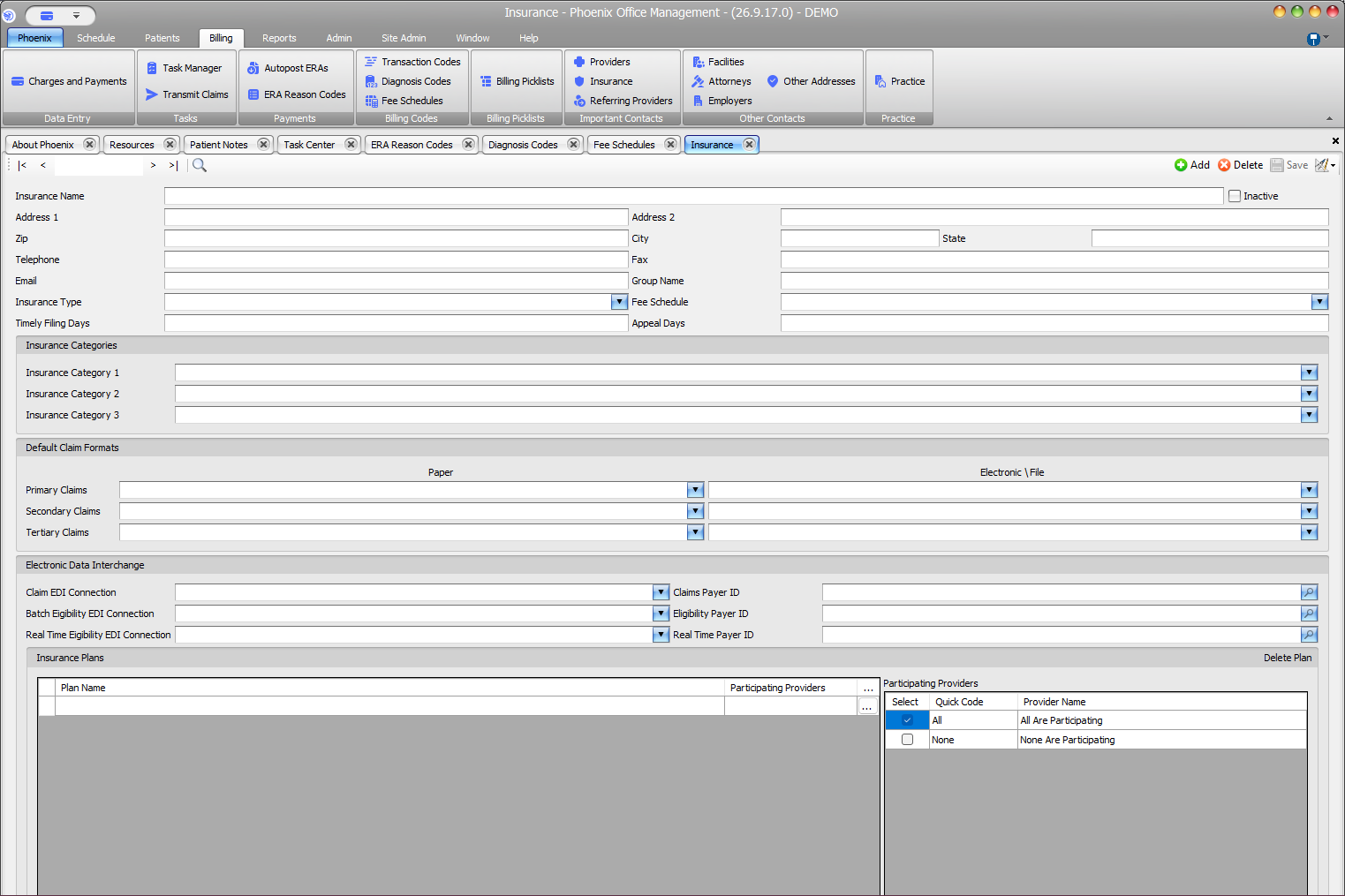
- In Important Contacts, select Insurance.
- Search for the company before adding a record.
- If no matching record exists, select Add.
Enter company details #
- Insurance Name and contact information
- Group Name and Insurance Type
- Fee Schedule, Timely Filing Days, and Appeal Days
Complete applicable setup sections #
- Insurance Category 1, 2, and 3
- Default Claim Formats for primary, secondary, and tertiary claims
- Claim, Batch Eligibility, and Real Time Eligibility EDI connections
- Claims, Eligibility, and Real Time Payer IDs
- Insurance Plans and Participating Providers
Save the record #
- Review the Insurance Name and contact details.
- Confirm every category, format, connection, payer ID, plan, and provider selection you entered.
- Select Save or press F2.
Avoid duplicates and guesses
Search by company name and compare the address, Group Name, Insurance Type, and categories. Do not guess claim formats, EDI connections, payer IDs, plans, or participating providers.