
Insurance & eligibility · Setup
Insurance Company Identifiers #
Use the visible labels in Phoenix to distinguish company-level information from EDI payer IDs and patient-specific coverage details.
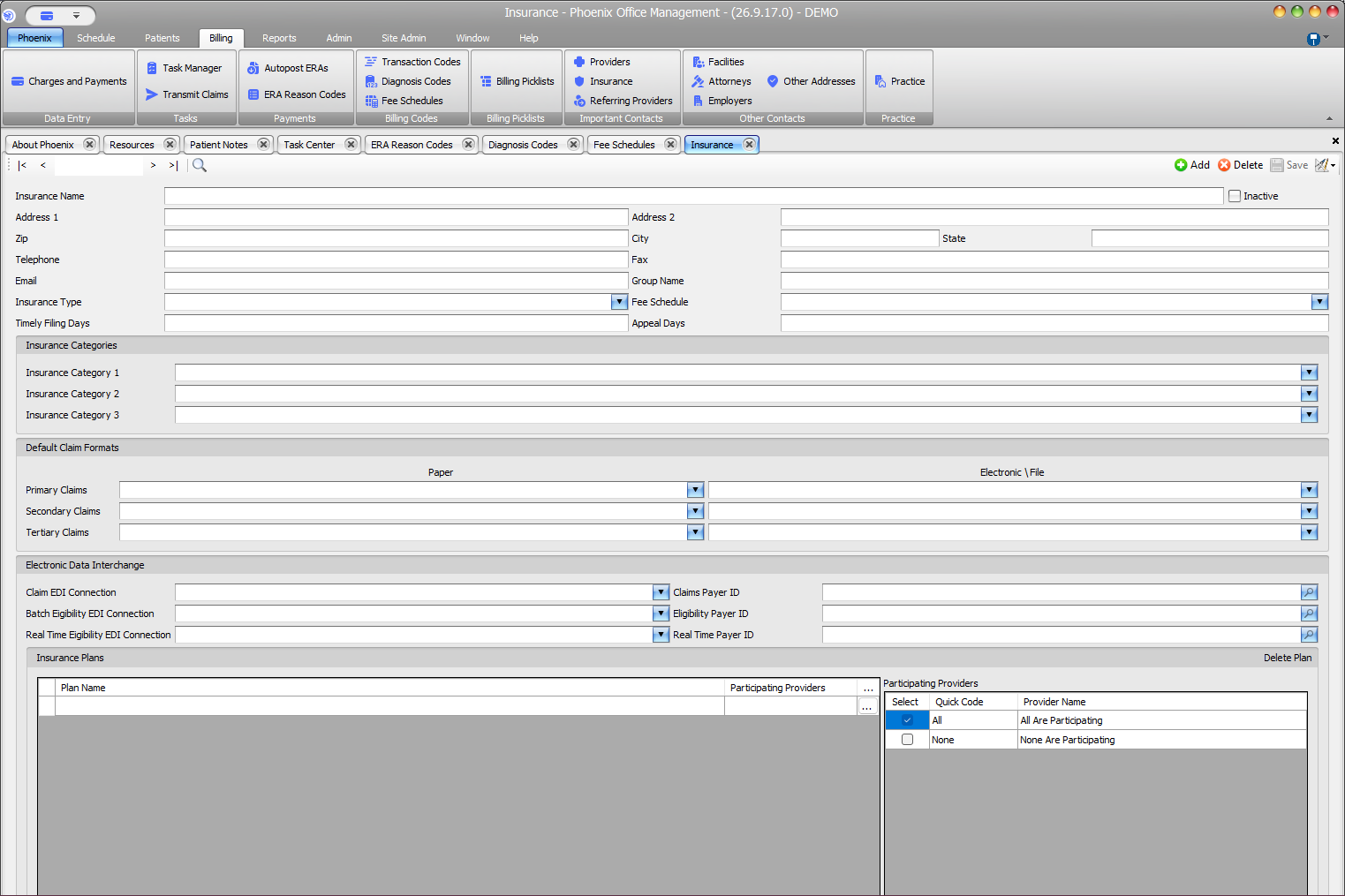
Match each payer ID to its connection #
- Claim EDI Connection pairs with Claims Payer ID.
- Batch Eligibility EDI Connection pairs with Eligibility Payer ID.
- Real Time Eligibility EDI Connection pairs with Real Time Payer ID.
Distinguish company and patient fields #
These payer IDs belong to the Insurance company record. A patient’s policy or member identifier belongs with the patient’s coverage, not in these company-level fields.
Before saving
Confirm the selected company, review every changed identifier and connection, then select Save or press F2 only after the values have been verified.