
Patients · Patient Records
Patient Quick Code and Case Quick Code #
Phoenix uses separate Quick Codes for the patient record and for the patient’s case. They identify different parts of the patient setup and should not be treated as interchangeable.
Patient Quick Code #
The patient code identifies the patient record. In the documented new-patient workflow, you can leave the patient-code box blank while entering the patient’s name and date of birth, then save the patient so Phoenix can assign the code.
Use the patient code when you need to identify the patient record itself.
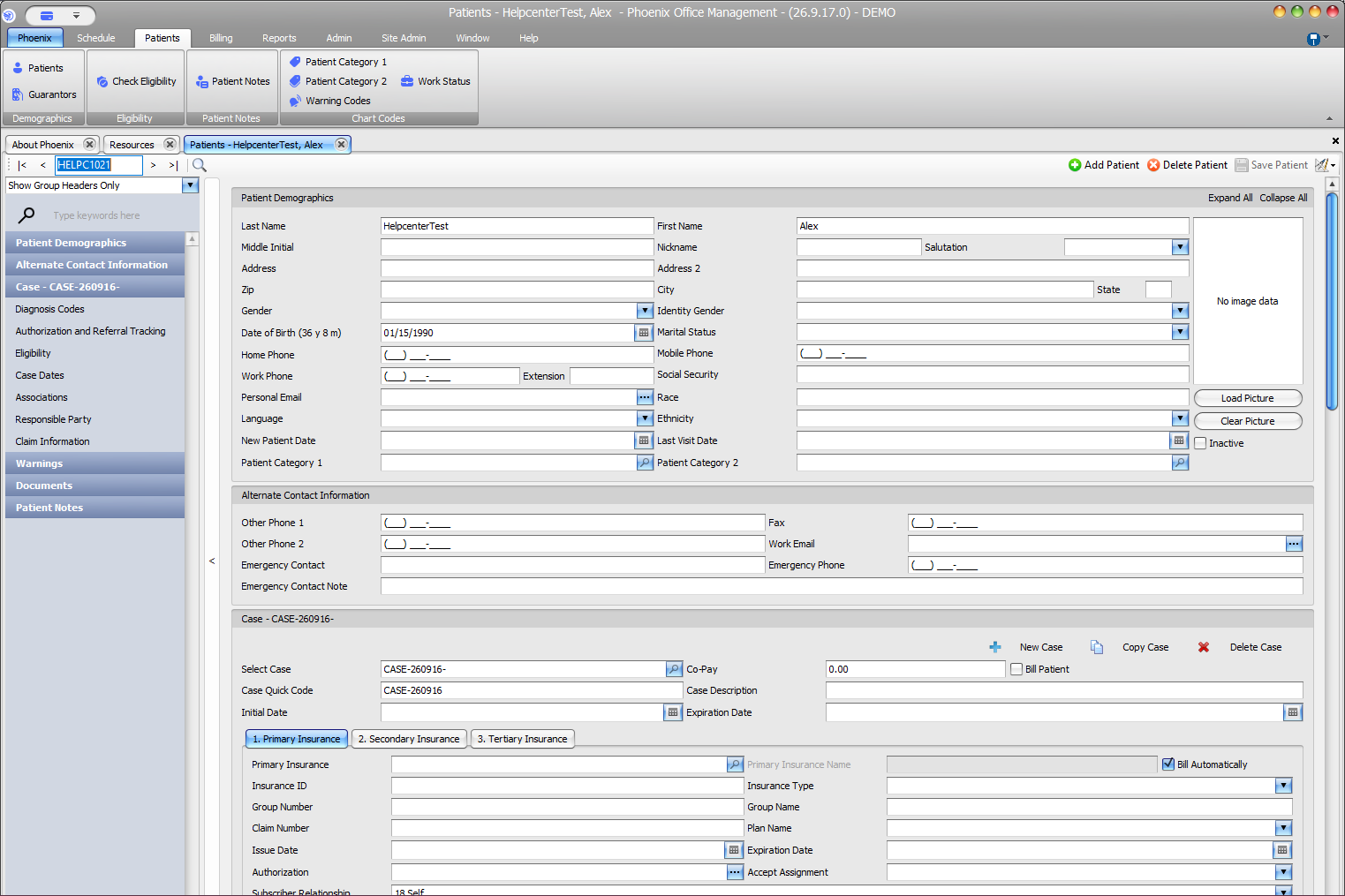
Case Quick Code #
Case Quick Code identifies a case within the patient record. Phoenix supplies a Case Quick Code for the initial case after the patient is saved in the documented workflow.
A patient can have multiple billing situations over time, so the case identifies a different level of information than the patient record.
Before using a code
Confirm whether the screen is asking for a patient or a case. A correct patient with the wrong case can still point to the wrong insurance or billing context.