
Patients · Demographics
Emergency Contact Information #
Use the emergency-contact fields in Patient Demographics to store the contact information supplied for the patient. Keep this information separate from insurance subscriber or responsible-party information.
Keyboard shortcuts: In a form, press F2 to save and Esc to close. On data-entry-heavy screens, press Ctrl+↓ for the next layout group or Ctrl+↑ for the previous layout group.
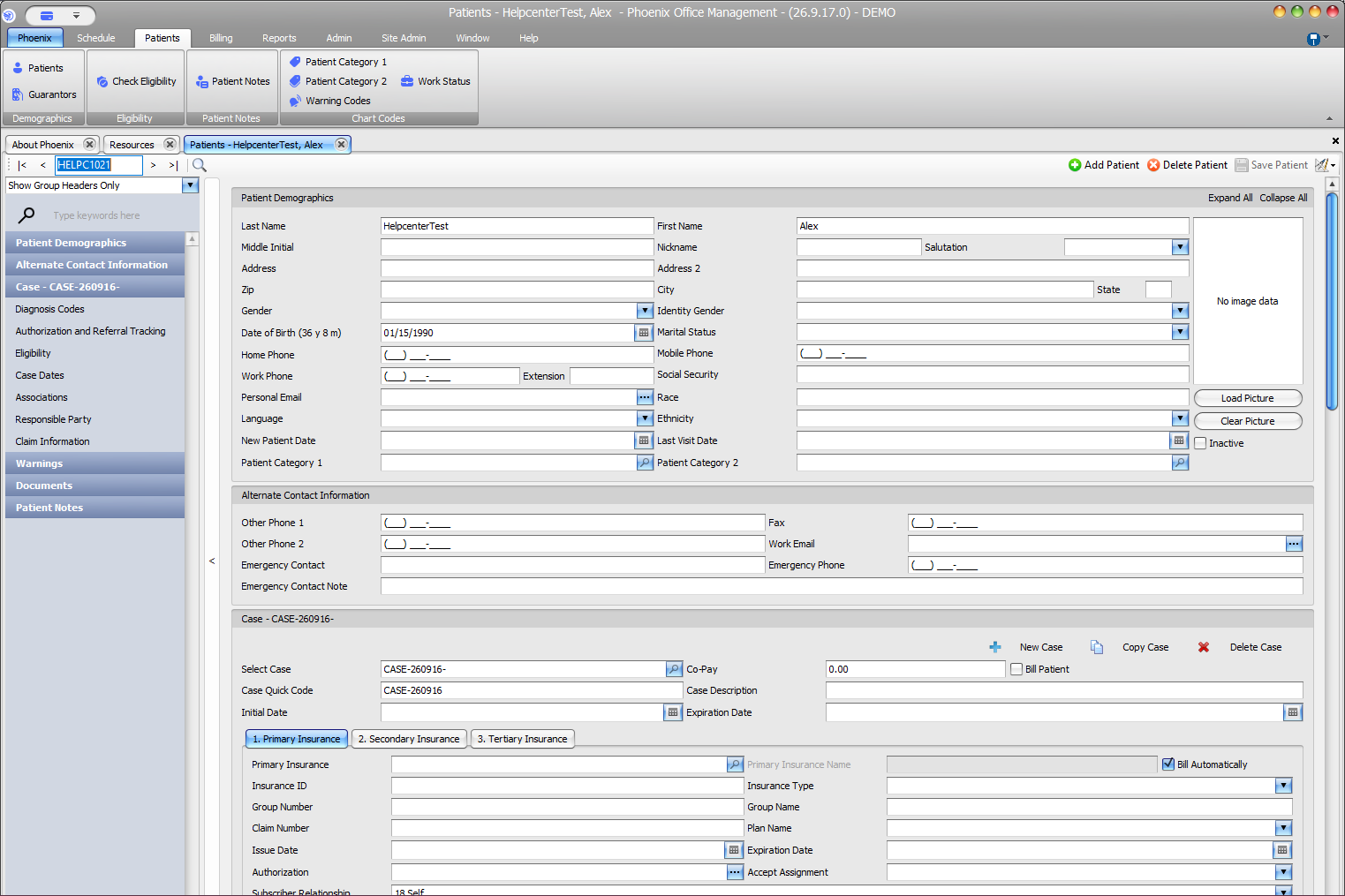
Enter or update an emergency contact #
- Find and verify the patient.
- Open the patient record.
- Locate Alternate Contact Information.
- Enter or update Emergency Contact, Emergency Phone, and Emergency Contact Note as applicable.
- Review the entries and select Save Patient.
Keep the roles separate #
An emergency contact is not automatically the patient’s insurance subscriber, guarantor, or responsible party. Record each role according to the information provided and your practice’s workflow.
Verify before relying on the number
Contact information can change. Confirm the current information with the patient or another approved source when your office requires it.