
Practice configuration · Codes and fees
Diagnosis Codes #
Use Diagnosis Codes to review practice codes and search for codes to import. Verify every code against an approved coding source.
Keyboard shortcuts: In a form, press F2 to save and Esc to close. In a lookup field, press F3 for Lookup, Insert for Quick Add, or Ctrl+E for Quick Edit.
Find an existing code #
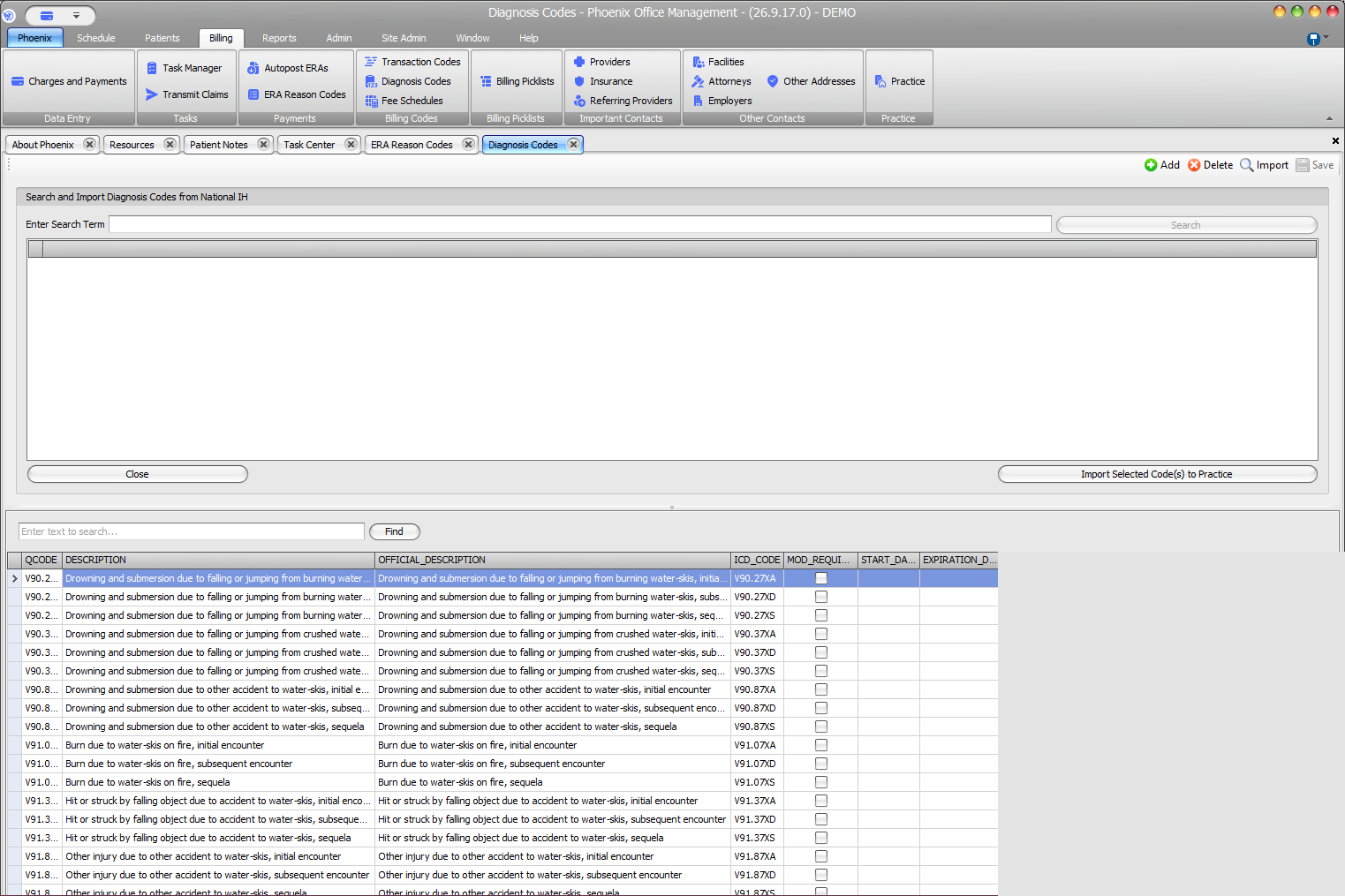
- Select Billing > Diagnosis Codes.
- Use the lower search field and Find.
- Confirm the exact ICD code and description.
Search and import #
- Select Import if the upper area is hidden.
- Enter a search term and select Search.
- Review and select the intended result.
- Select Import Selected Code(s) to Practice.
- Confirm the code in the lower practice list.
When a code is not found #
Try a broader description or part of the code, and confirm you are searching the correct area. The upper panel searches import candidates; the lower field filters the practice list.
Manual actions require review
For the documented workflow, use Import to search for and add diagnosis codes. Do not delete a code until its use and retention requirements have been reviewed.