
Practice configuration · Codes and fees
Modifiers #
Phoenix displays four modifier positions in charge entry, Transaction Code defaults, and fee-schedule rows.
Keyboard shortcuts: In a form, press F2 to save and Esc to close.
Charge entry #
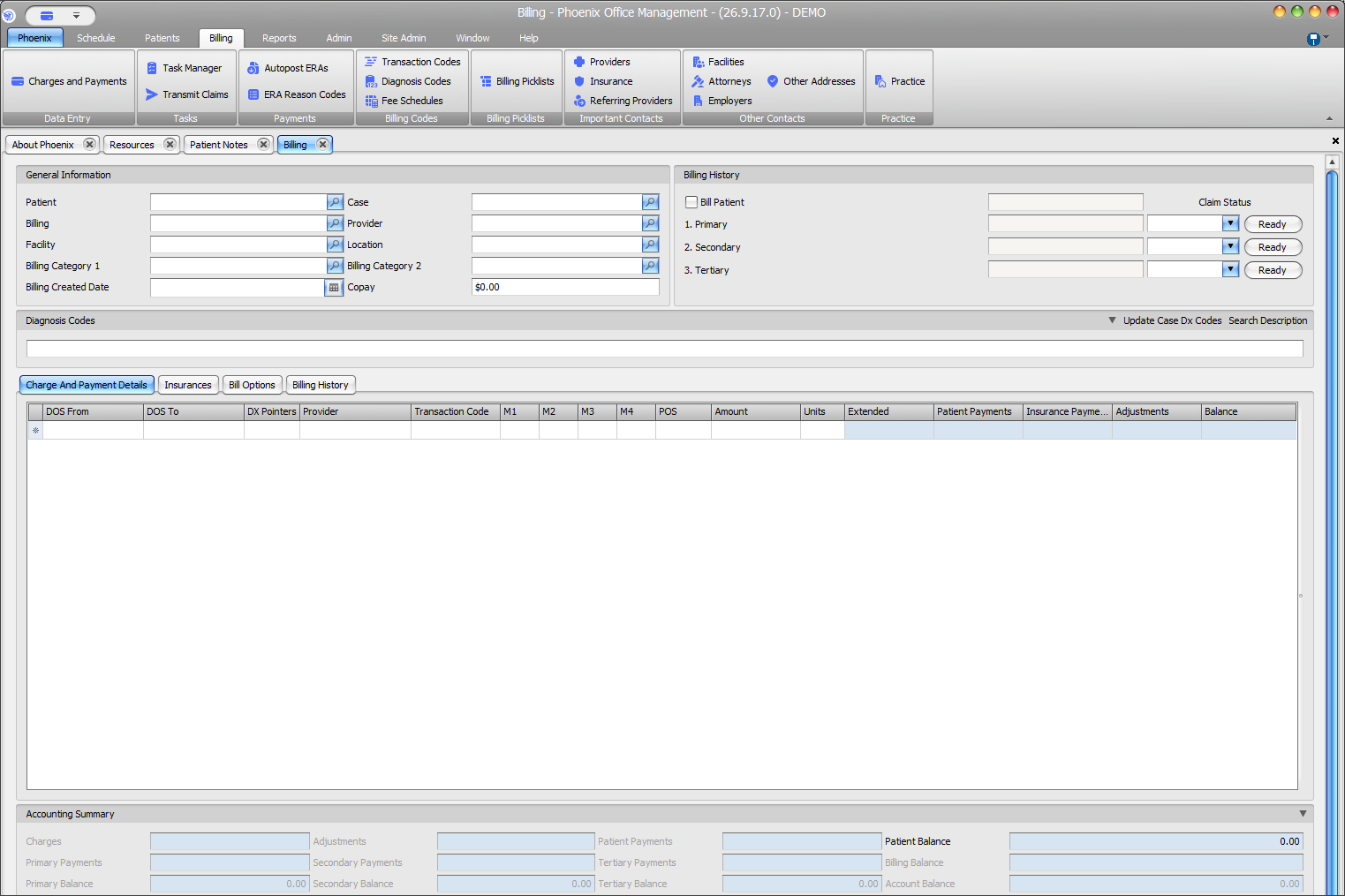
In Billing > Charges and Payments, M1 through M4 belong to the displayed charge row. Confirm patient, case, dates, provider, and Transaction Code before editing them.
Transaction Code defaults #
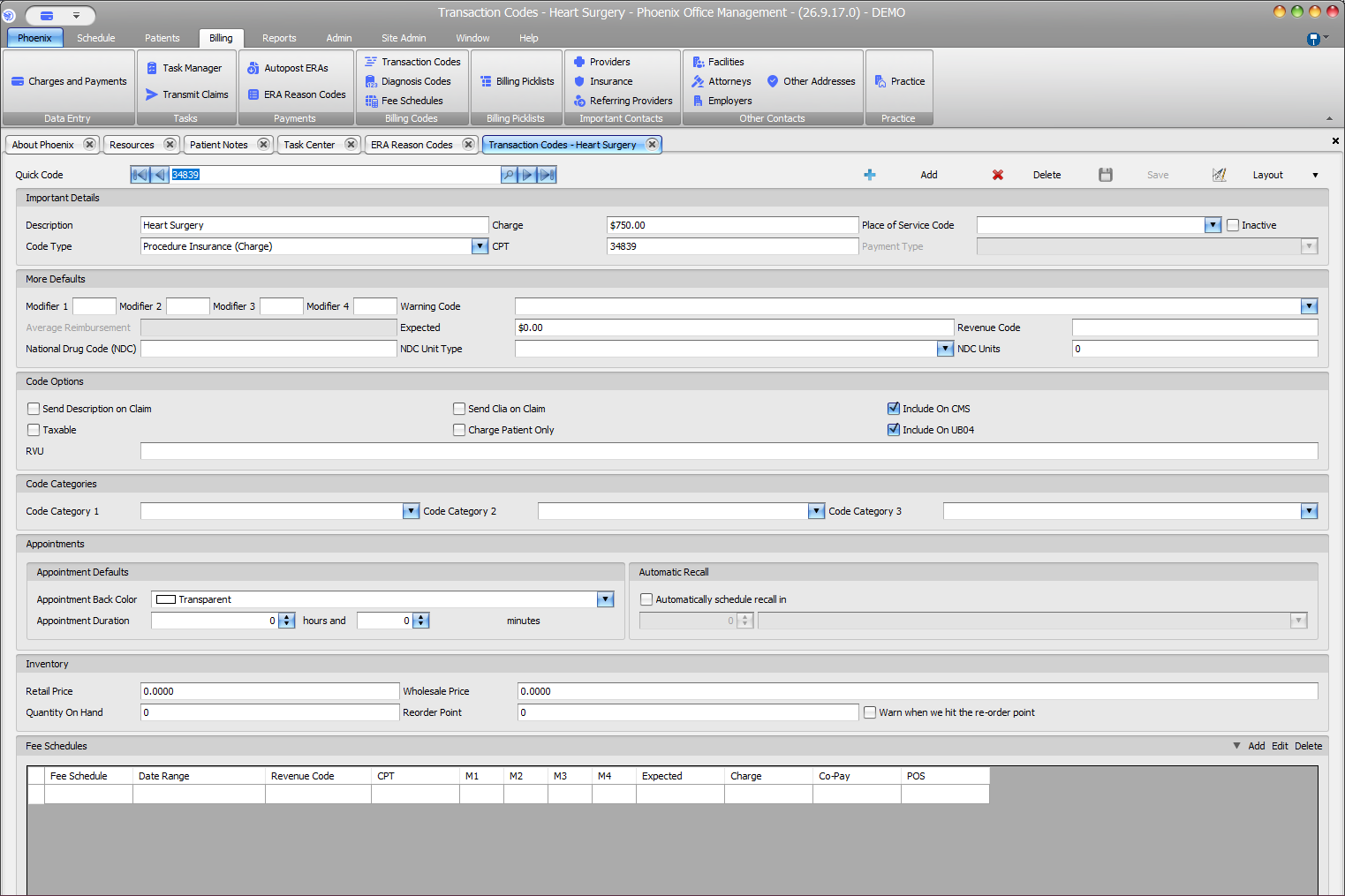
In Billing > Transaction Codes, Modifier 1 through Modifier 4 appear under More Defaults beside Warning Code, Expected, Revenue Code, and NDC fields.
Fee-schedule rows #
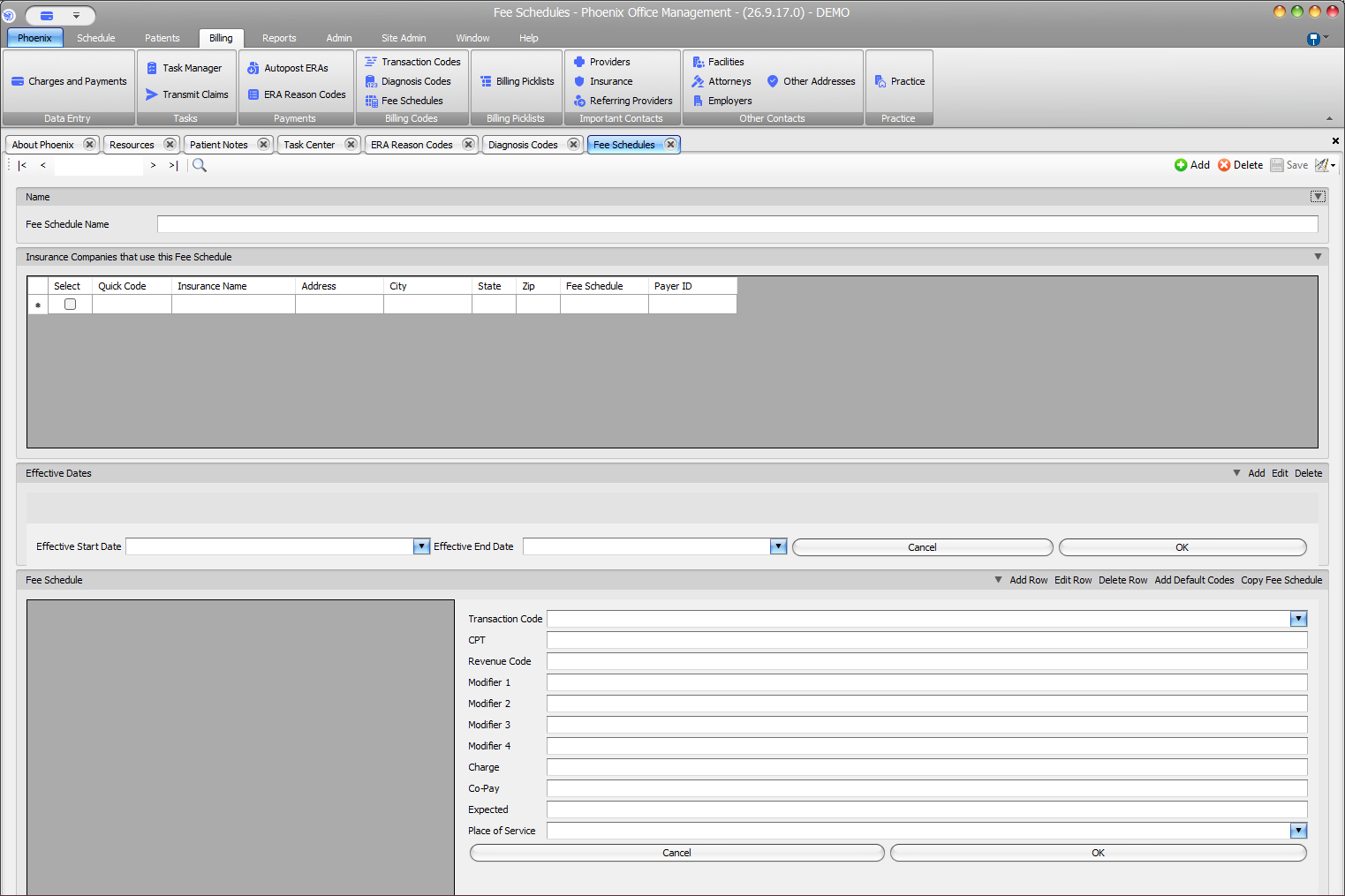
In Billing > Fee Schedules, Modifier 1 through Modifier 4 belong to the selected schedule row with its Transaction Code, CPT, Revenue Code, Charge, Co-Pay, Expected, and Place of Service.
Keep each context separate
Verify the current patient, Transaction Code, or fee schedule before changing a modifier. Save only after reviewing the intended record.