
Practice configuration · Codes and fees
Procedure Codes #
Procedure-related transaction codes are maintained on Transaction Codes with identity, charge defaults, claim options, and fee-schedule rows.
Keyboard shortcuts: In a form, press F2 to save and Esc to close. Press F4 to inspect the underlying Transaction Code details when working from a charge.
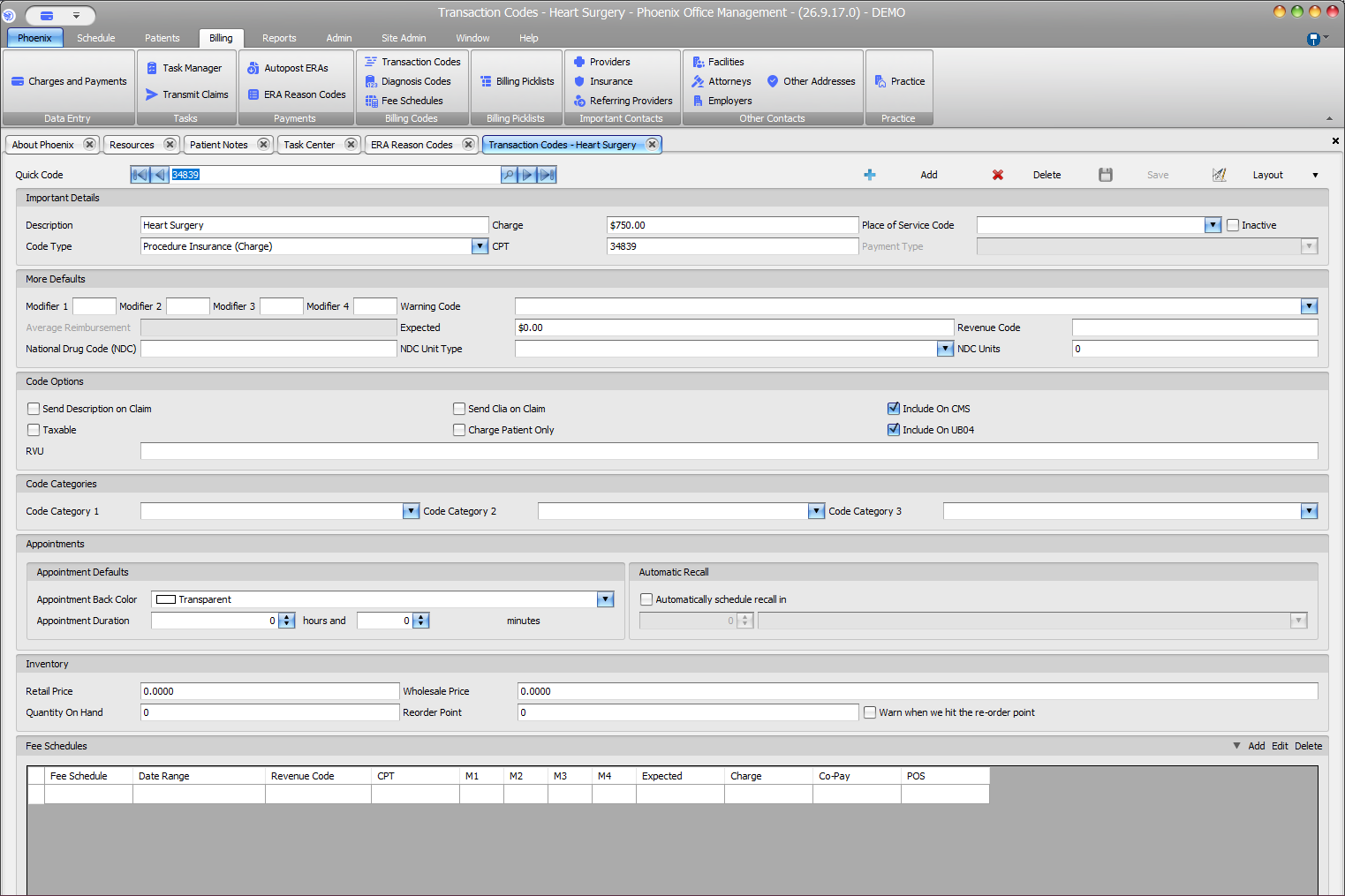
Find and verify the record #
- Select Billing > Transaction Codes.
- Locate the code with search or navigation.
- Confirm Quick Code, Description, Code Type, and CPT.
- Review Charge, Place of Service Code, and Inactive.
- Review modifiers, Expected, revenue code, NDC fields, and code options when applicable.
Other configuration areas #
- Code Categories
- Appointment Back Color and Duration
- Automatic Recall
- Inventory prices and quantities
- Fee Schedules
Add or update a code #
- Select Add, or locate the existing record.
- Enter or verify code identity and Code Type.
- Review only applicable charge, coding, option, appointment, inventory, and fee fields.
- Confirm the complete record and select Save.
Shared configuration
Review the Transaction Code carefully before saving changes. Avoid duplicate Quick Codes and do not delete a code until its use in existing transactions has been reviewed.