
Administration · Permissions
Assigning Permissions #
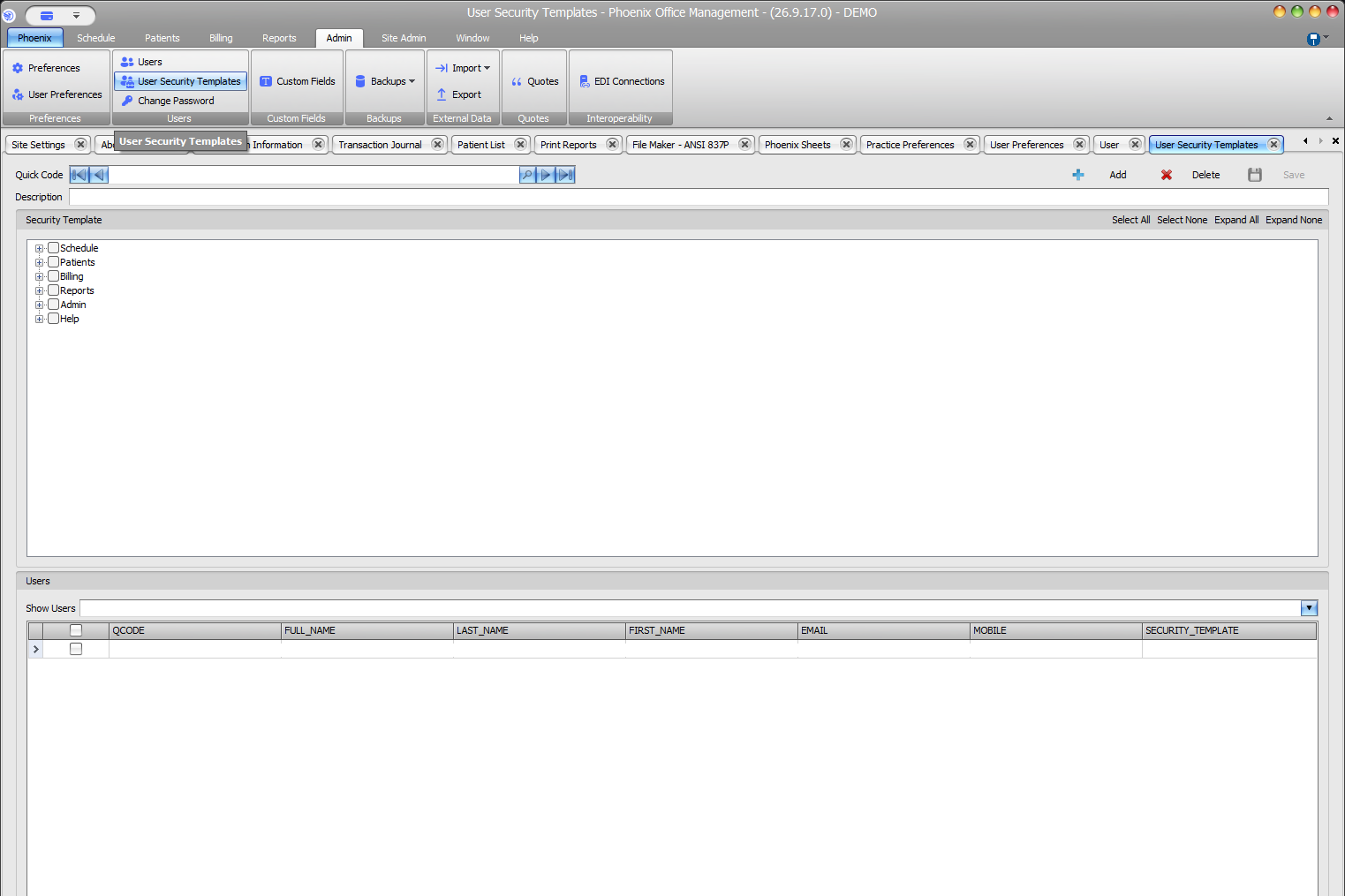
User Security Templates groups approved access selections into reusable templates.
Keyboard shortcuts: In a form, press F2 to save and Esc to close.
Open the template #
- Select Admin > User Security Templates.
- Locate a template by Quick Code or select Add.
- Verify Quick Code and Description.
Select permissions #
- Expand Schedule, Patients, Billing, Reports, Admin, or Help.
- Review available child selections.
- Select only approved checkboxes.
- Repeat for each applicable area.
- Select Save.
Bulk controls and assigned users #
Select All, Select None, Expand All, and Expand None affect broad portions of the tree. Review the Users grid and Security_Template column before changing an existing template.
Verify the complete template
Confirm the intended template, review every relevant branch, and record authorization. After saving a permission change, verify the user’s effective access.