
Practice configuration · Insurance companies
Adding Payers #
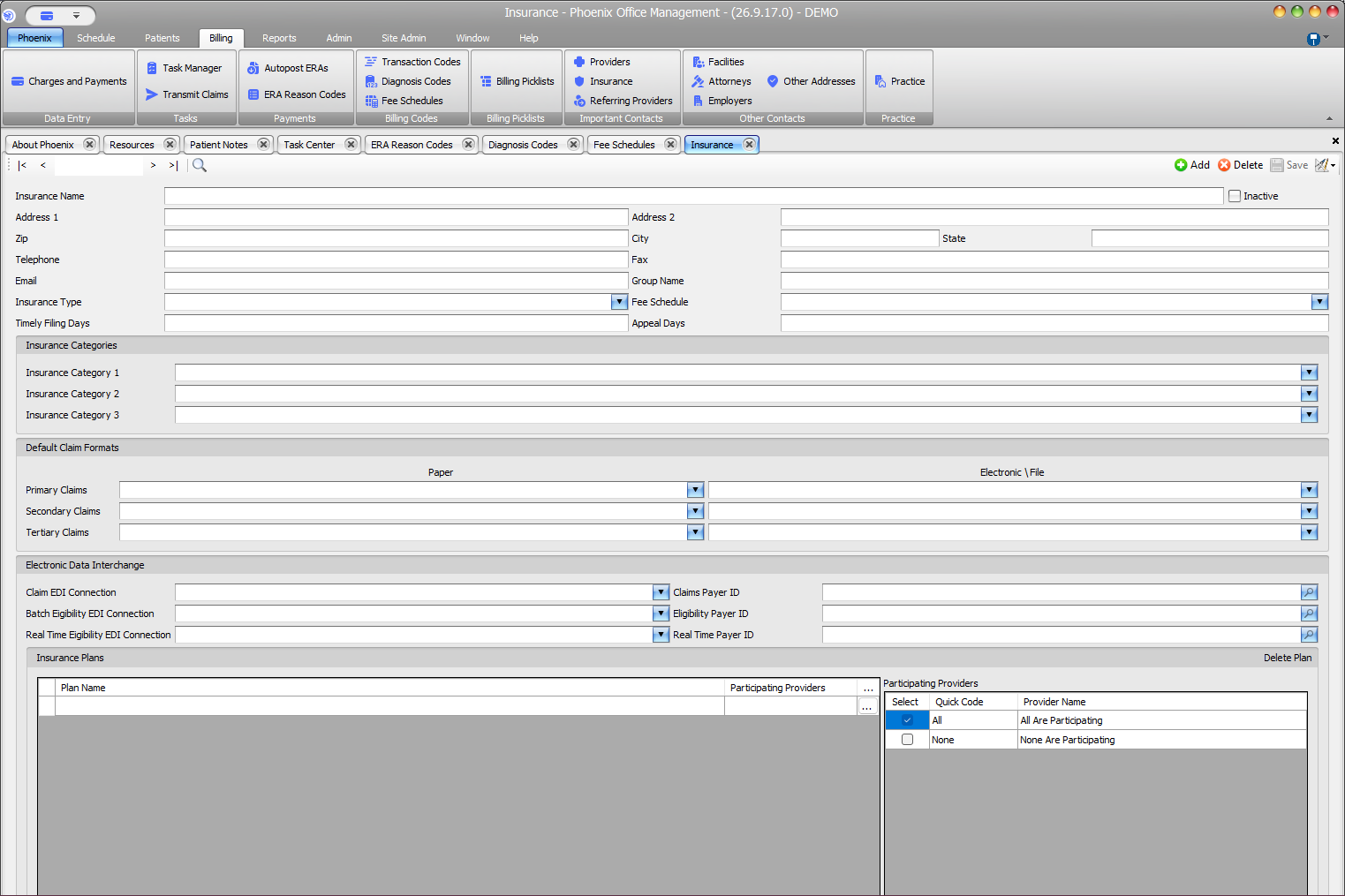
Payer records are maintained on the Insurance screen with identity, contact, claim-format, EDI, and plan settings.
Keyboard shortcuts: In a form, press F2 to save and Esc to close. In a lookup field, press F3 for Lookup, Insert for Quick Add, or Ctrl+E for Quick Edit. On data-entry-heavy screens, press Ctrl+↓ for the next layout group or Ctrl+↑ for the previous layout group.
Add a payer #
- Select Billing > Insurance.
- Search for the payer before adding a record.
- Select Add.
- Enter Insurance Name and available contact details.
- Select Insurance Type when used.
- Review Fee Schedule, filing and appeal days, categories, claim formats, EDI connections, payer IDs, and plans.
- Verify the information against an approved payer source.
- Select Save.
Before creating another record #
Search spelling variations, abbreviations, and related group names. Duplicate payers can split configuration across multiple records.
Do not guess or delete casually
Do not copy payer IDs, filing limits, claim formats, or EDI connections from a similar payer. Prefer the approved deactivation process; the effect of deleting a payer on existing records has not been verified.