
Charges & billing · Provider information
Supervising Provider #
Set the visible supervising-provider association on the provider record.
Keyboard shortcuts: Press Ctrl+B to open Charges and Payments. In a form, press F2 to save and Esc to close. In a lookup field, press F3 for Lookup, Insert for Quick Add, or Ctrl+E for Quick Edit.
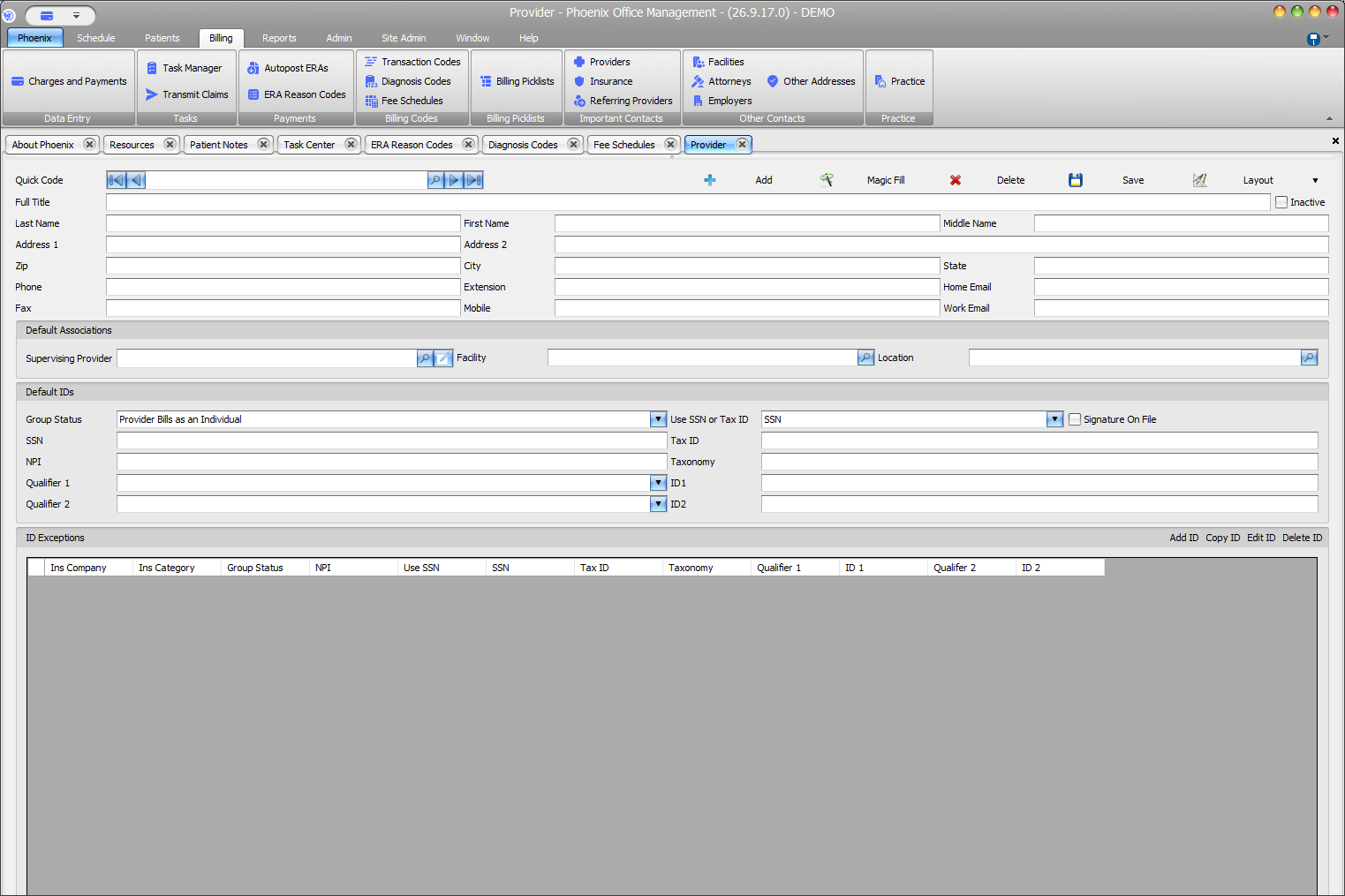
Set the association #
- Select Billing > Providers.
- Locate the provider and confirm the name or Full Title.
- Under Default Associations, locate Supervising Provider.
- Use the lookup to choose the intended provider.
- Confirm the value, then select Save.
- Revisit the record and verify the saved association.
Related fields #
Facility and Location appear in the same Default Associations section. The pencil button beside Supervising Provider opens the associated record; use it only when you intend to review or edit that record.
Default association has a limited meaning
The visible association does not prove that the value fills every charge, controls claim submission, or replaces the Provider selected in Charges and Payments.