
Administration · Security
Security Best Practices #
Use Phoenix security controls as part of the organization’s approved access and password policies.
Keyboard shortcuts: In a form, press F2 to save and Esc to close.
Use focused security templates #
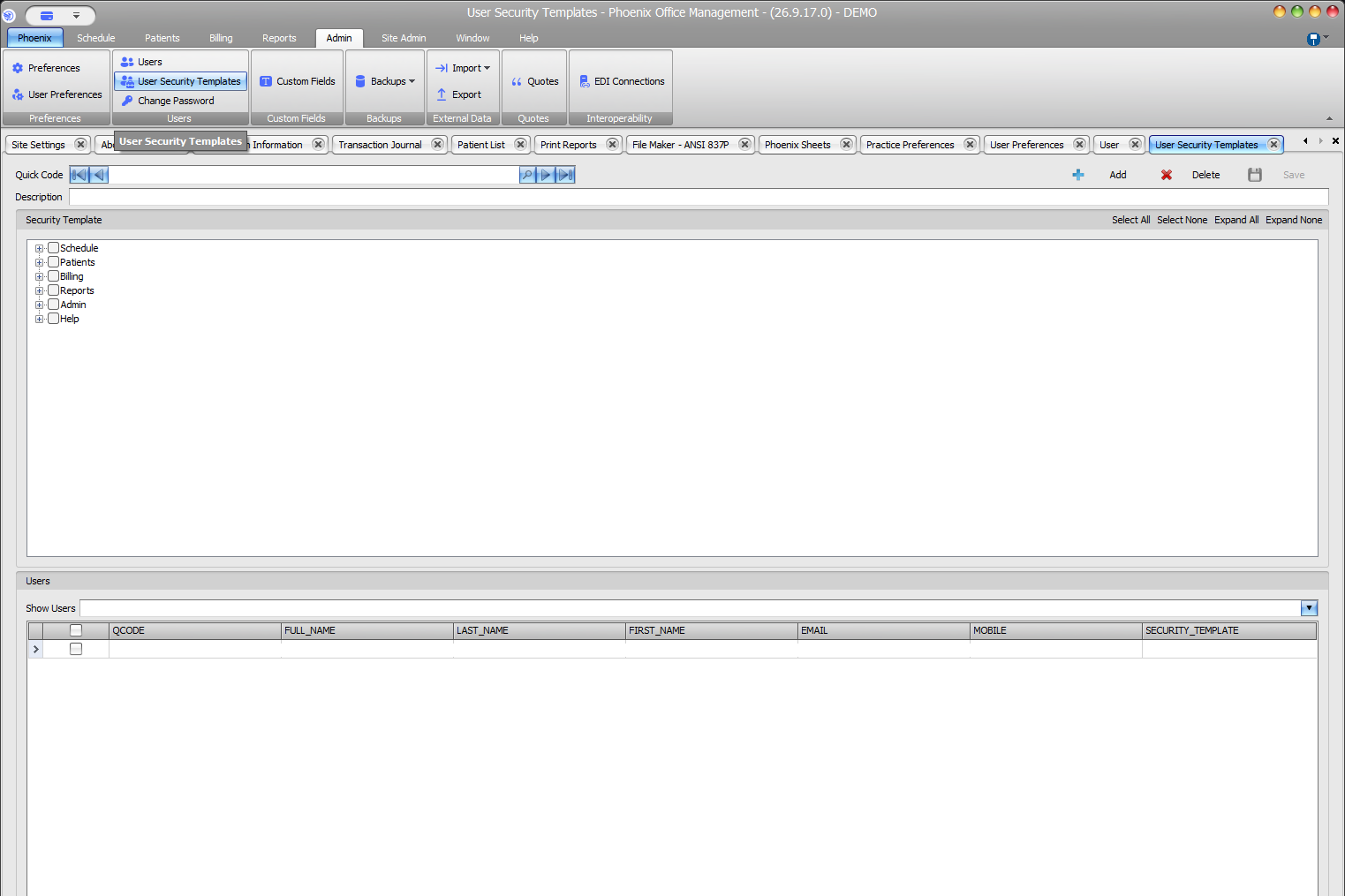
- Grant only module selections needed for the role.
- Expand each branch and review child selections.
- Use clear Quick Codes and Descriptions.
- Review the Users grid before changing a shared template.
- Avoid Select All unless broad access is explicitly approved.
Review password-policy controls #
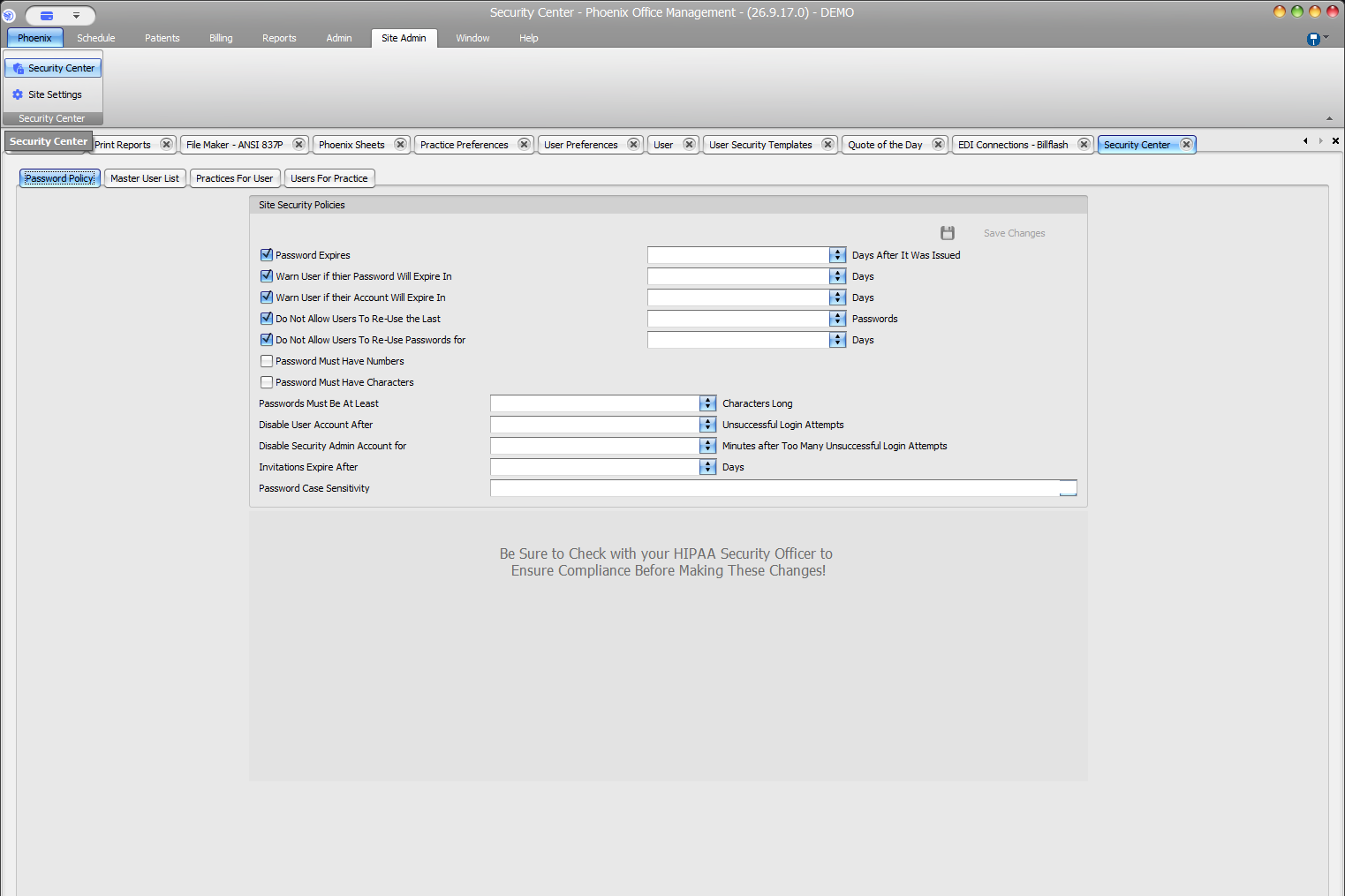
- Password expiration and warning controls
- Password reuse, number, character, and minimum-length requirements
- Failed-login limits
- Temporary Security Admin disablement
- Invitation expiration
- Password case sensitivity
Use values from approved policy. Set password-policy values according to your organization’s security requirements.
Protect administrative access
Limit template and Security Center changes to authorized administrators, do not share administrator credentials, and review the complete policy before selecting Save Changes.