
Practice configuration · Practice setup
Practice Information #
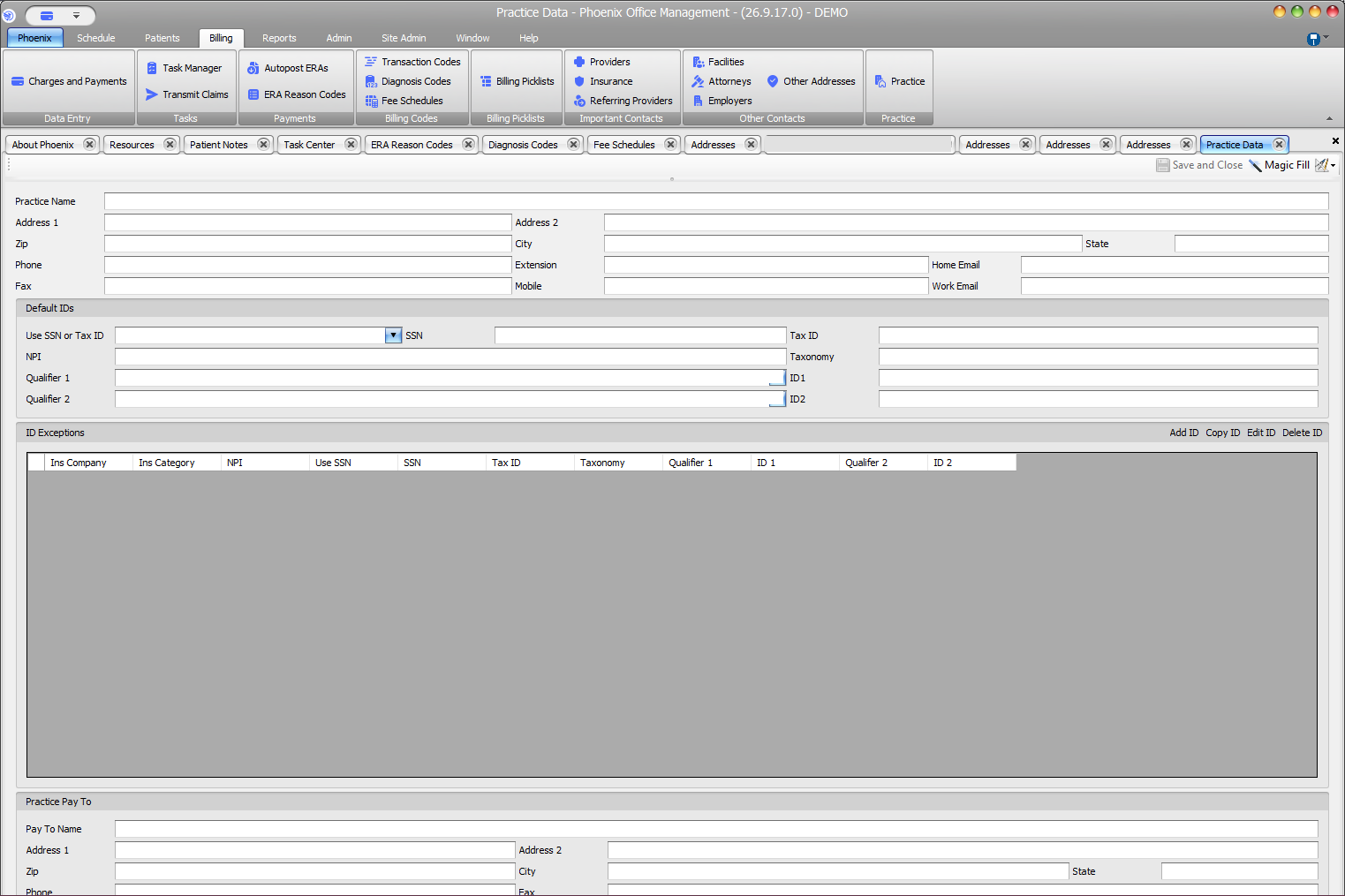
Practice Data stores practice-level contact information, default identifiers, exceptions, and pay-to details.
Keyboard shortcuts: In a form, press F2 to save and Esc to close. On data-entry-heavy screens, press Ctrl+↓ for the next layout group or Ctrl+↑ for the previous layout group.
Open Practice Data #
- Select Billing > Practice.
- Make the needed change.
- Verify the Practice Name before making changes.
Information on the screen #
- Practice name, address, phone, fax, mobile, and email
- Default IDs: SSN or Tax ID selection, SSN, Tax ID, NPI, Taxonomy, and qualifier/ID pairs
- Insurance-specific ID Exceptions
- Practice Pay To name and contact information
Save the record #
- Compare updated values with approved practice documentation.
- Review identifier exceptions and pay-to information when they are part of the change.
- Select Save and Close.
Verify configuration decisions
Practice identifiers and pay-to details can affect downstream work. Before saving identifier or Pay To changes, verify the values against your practice’s approved billing information.