
Practice configuration · Practice setup
Billing Information #
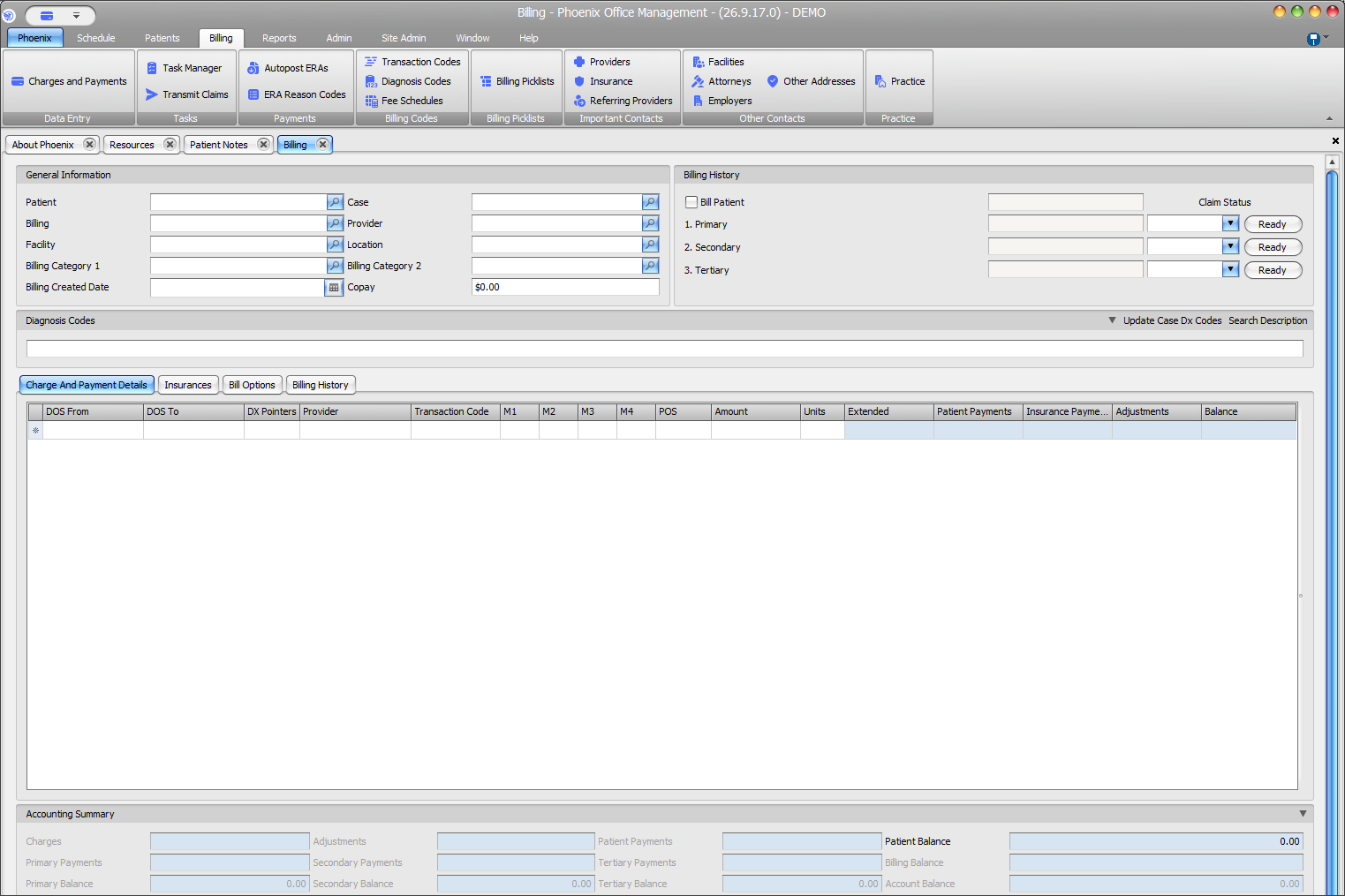
Charges and Payments brings together billing context, charge rows, payment information, and balances for a selected patient and case.
Open the billing record #
- Select Billing > Charges and Payments.
- Select the intended Patient and Case.
- Confirm Billing, Provider, Facility, Location, categories, Billing Created Date, and Copay.
Review the screen #
- Billing History for patient and insurance tiers
- Claim Status and Ready controls
- Charge and Payment Details, Insurances, Bill Options, and Billing History tabs
- Dates, codes, provider, modifiers, POS, amounts, units, payments, adjustments, and balance
- Accounting Summary
Confirm context first
Facility and Location are separate lookup fields. Verify the selected patient and case before relying on billing history, charge detail, or balance information.