
Charges & billing · Procedure information
Charges and Fees #
Phoenix shows charge-related values in the patient charge row, the Transaction Code record, and Fee Schedules. Review the correct area before changing an amount.
Keyboard shortcuts: Press Ctrl+B to open Charges and Payments. Press F4 to inspect the underlying Transaction Code details when working from a charge.
1. Review the patient charge #
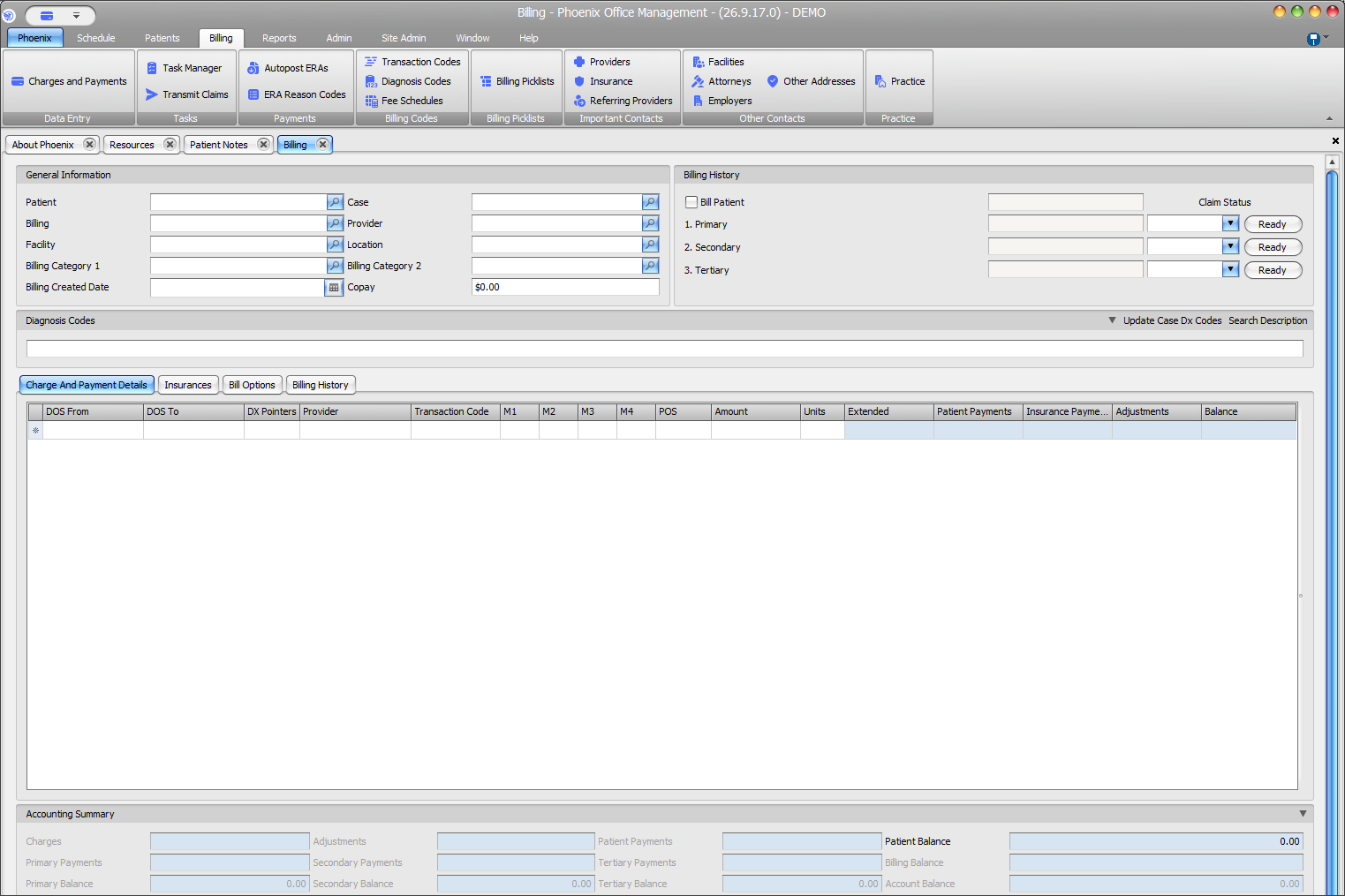
- Verify patient, case, dates of service, transaction code, Amount, Units, and Extended.
- Review provider, modifiers, place of service, payments, adjustments, and balance.
- Treat payment and balance columns as financial activity, not fee setup.
2. Review the Transaction Code #
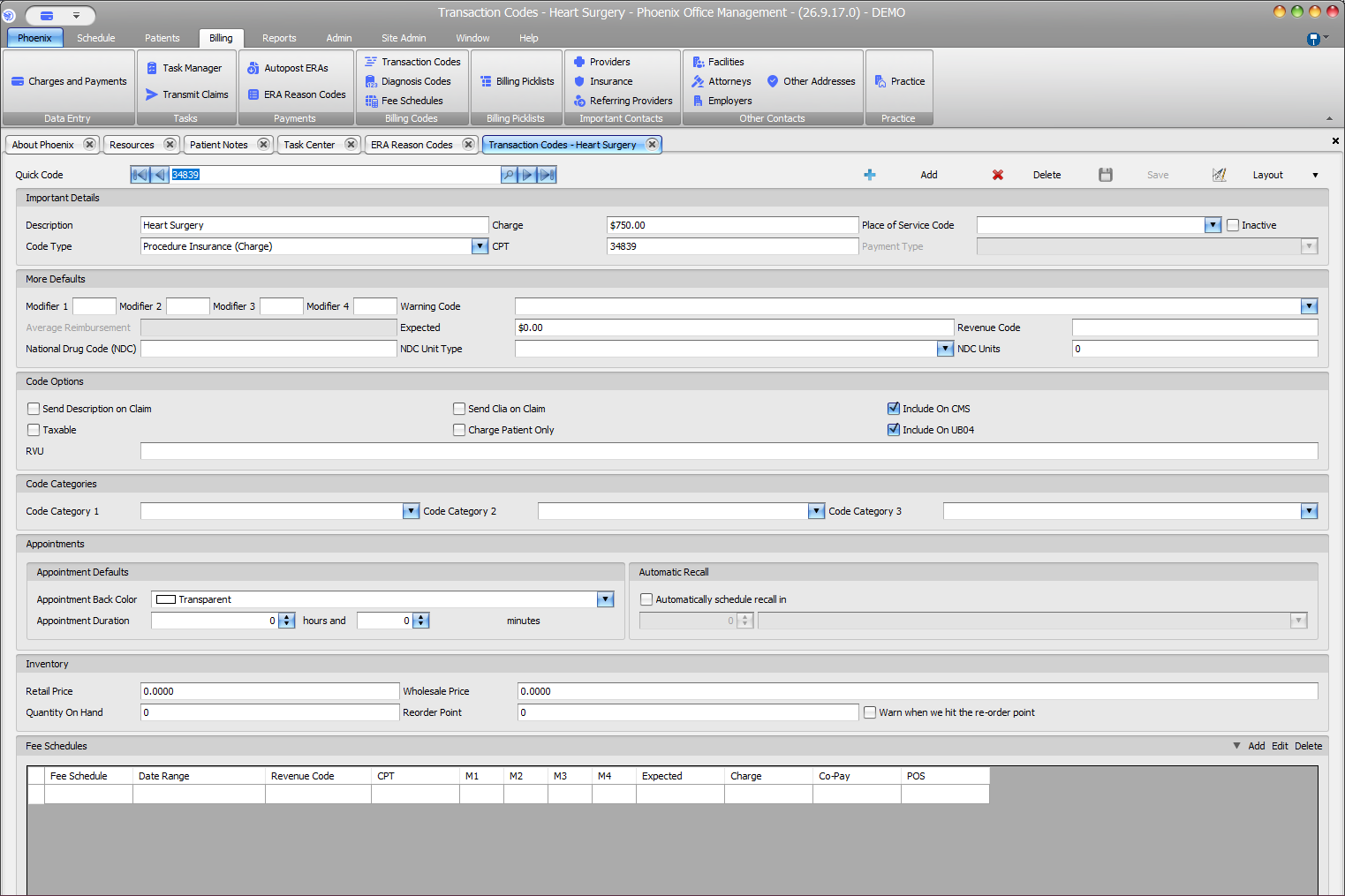
- Confirm the selected code.
- Review Charge, Expected, CPT, revenue code, modifiers, and place of service.
- Do not change shared code setup to correct a single patient charge unless you are authorized.
3. Review the Fee Schedule #
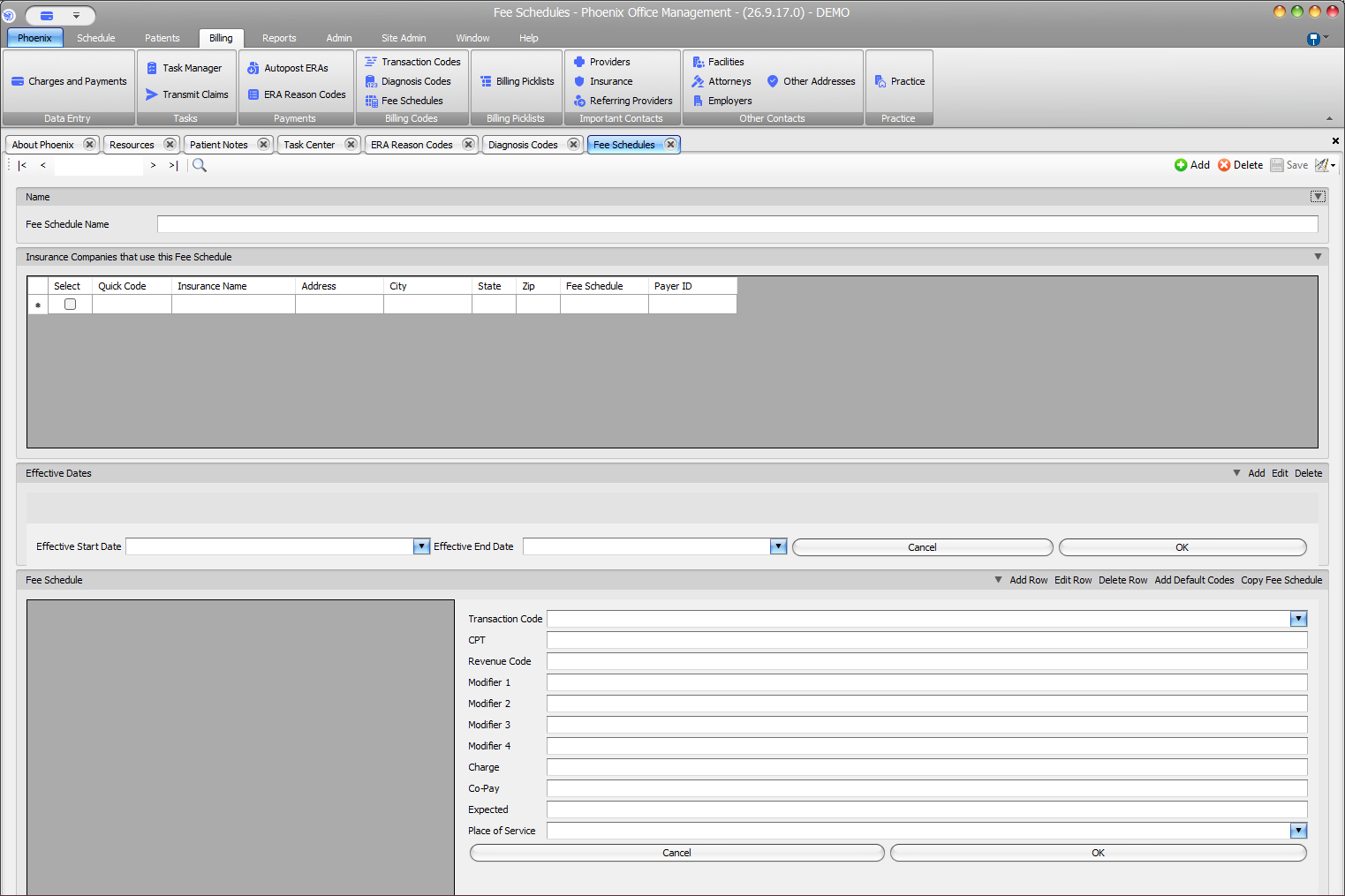
- Confirm the schedule name and associated insurance company.
- Review Effective Start Date and Effective End Date.
- Find the matching transaction-code row.
- Compare Charge, Co-Pay, and Expected without treating them as interchangeable.
If an amount looks wrong
If the source of an amount remains unclear, preserve the current records and ask a billing supervisor or PSS support before overwriting patient or shared configuration.